Case 2: Robot Walking Challenge
Case Introduction
Master the remote control operation of the PU Robot, explore the basic function of the balance algorithm, and improve hands-on manipulation skills through practical challenges.
Teaching Preparation
| Name | Diagram |
|---|---|
| PU Robot Kit | 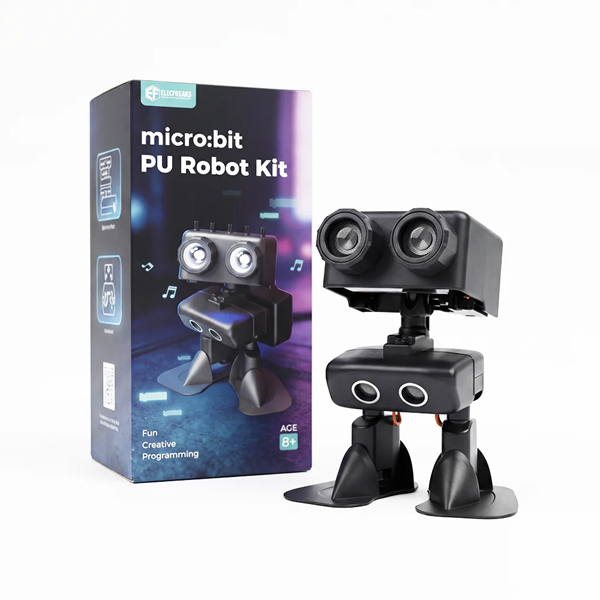 |
| Flat Ground |
Course Objectives
Master the remote control operation of the PU Robot, understand the basic function of the balance algorithm, and cultivate hands-on manipulation abilities.
Course Introduction
In the last class, we got to know all the components of the PU Robot and learned that it has flexible joints and smart balancing capabilities. Today, we will become little remote control experts, challenging to control the robot to complete tasks such as walking, turning and stopping. Let's see who can master the control skills the fastest and discover the secret of how the robot keeps its balance!
Learning Exploration
Remote Control Operation Explanation: The teacher explains the core button functions of the remote controller one by one, focusing on the operation methods of the three basic commands: "forward", "turn" and "stop". Students are reminded to operate gently to avoid the robot losing balance due to rapid command switching, and guided to remember the key operation points.
Balance Principle Perception: The teacher puts forward an exploratory question: "Everyone observe, will the head servo rotate when the robot is walking? Does the robot walk more stably or shakily when it rotates?" Students are guided to practice with the question, and initially perceive the scientific principle that "the balance algorithm adjusts the center of gravity through the rotation of the head servo to help the robot maintain stability".
Practical Skill Guidance: Aiming at problems such as unskilled control and robot imbalance that students may encounter, the teacher provides targeted guidance, such as "slow down when turning to avoid center of gravity shift" and "keep pressing the controller buttons steadily when walking straight", helping students quickly master control skills.
Classroom Activities
Activity 1: Basic Remote Control Operation
Students collect the PU Robot kits and remote controllers in groups. Under the teacher's guidance, they turn on the power, get familiar with the buttons of the remote controller, try to control the robot to complete simple forward and stop actions, and gradually adapt to the control rhythm. The teacher provides on-site guidance and corrects non-standard operations.
Activity 2: Walking Challenge Task
Students carry out challenges on flat ground in groups to complete the continuous task: "walk straight for 1 meter → turn 90 degrees → walk straight for 1 meter → stop". Each group takes turns to control, with one student operating and the other observing and recording. Key records include "whether the head servo rotates" and "changes in the robot's stability during rotation", as well as the robot's actions corresponding to different control commands.
Note: Please test on flat ground to prevent the robot from falling off the table and being damaged
Summary & Sharing
Invite each group to share their control experience and observation results. Combined with students' sharing, the teacher briefly explains the basic function of the balance algorithm — when the robot walks, the head servo adjusts the center of gravity deviation through rotation to maintain stable walking. The teacher summarizes the key control points of this lesson and encourages students to continue practicing control skills after class.