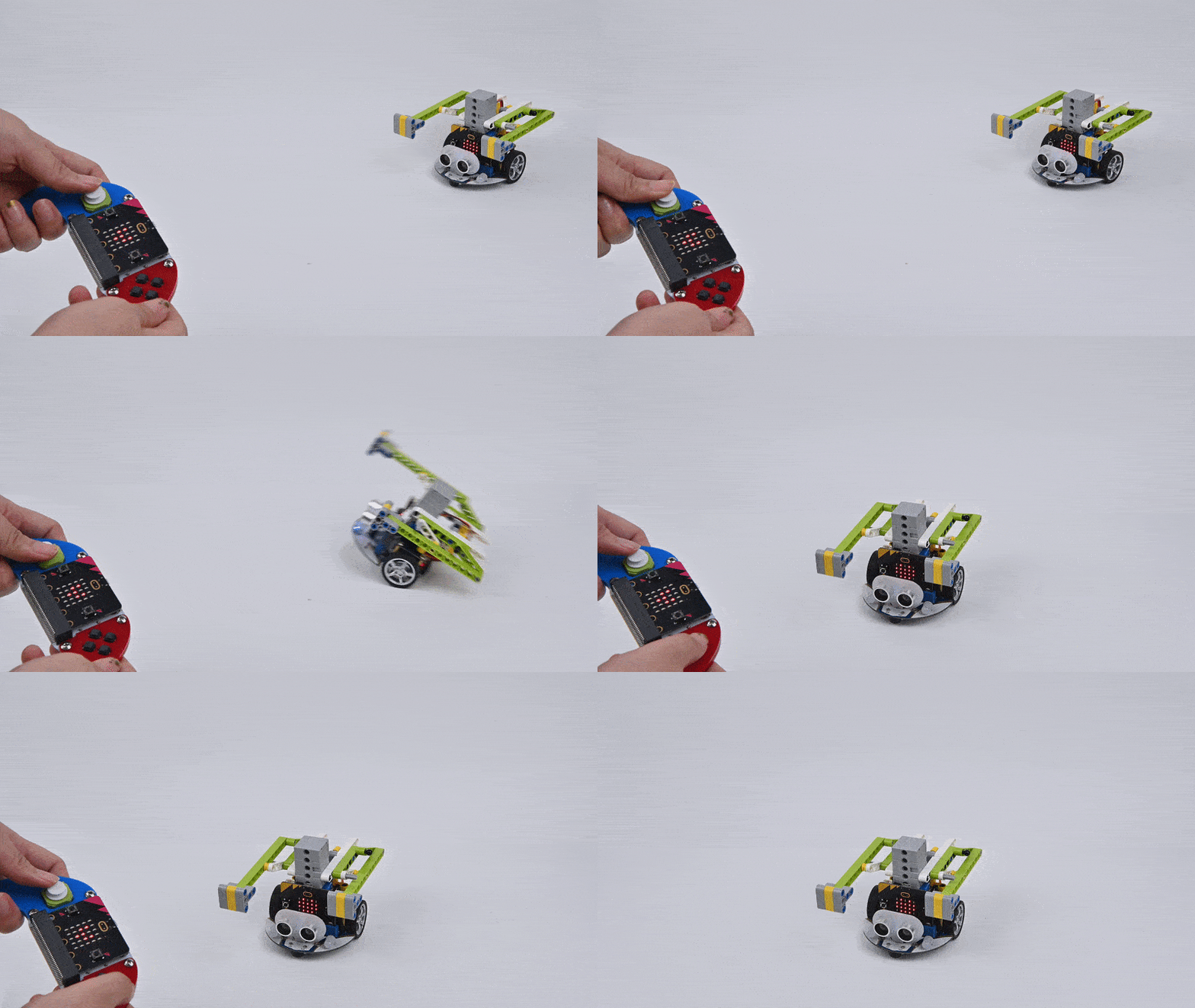
The Combat Cart-2
Purpose
Use the Cutebot smart car to create a cart that can push opponents off the playing field or lose their ability to move.

Materials
1 × Cutebot smart car
1 × Cutebot lithium battery expansion kit
n × Building block parts (block parts need to be prepared by yourself)
Assembly
The installation steps of lithium battery pack:

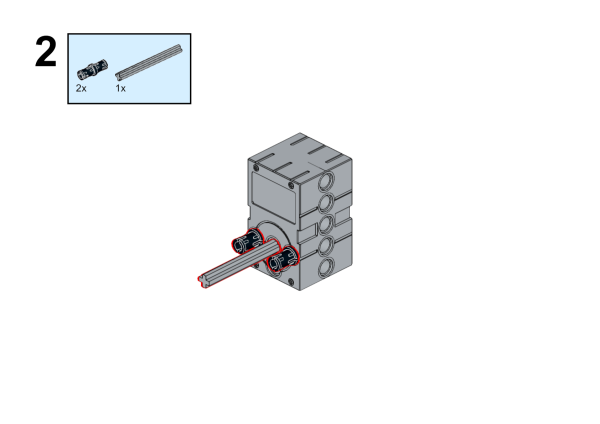
Construction steps of the building blocks:
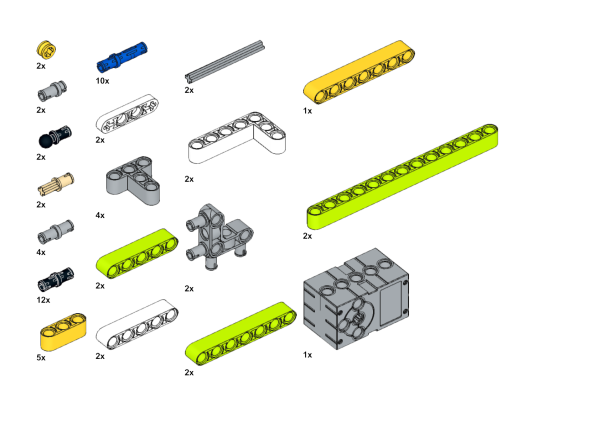
Parts List:
Build steps:

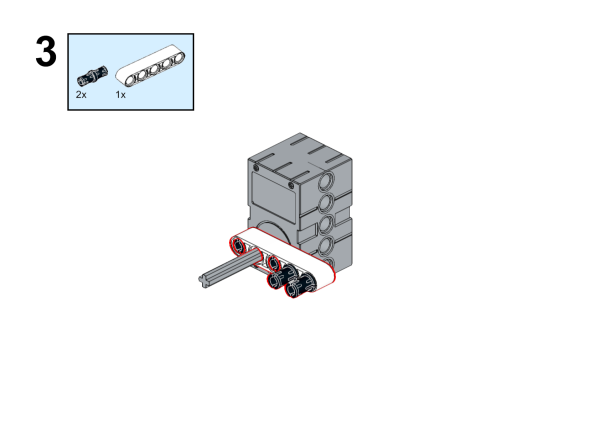


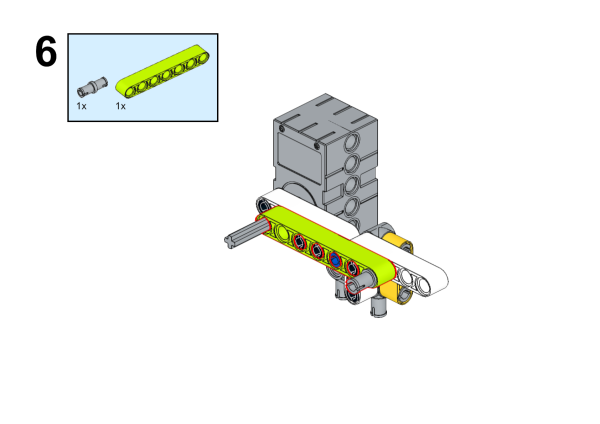


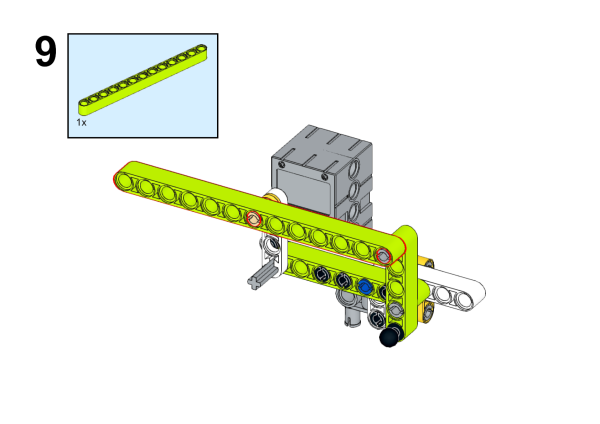

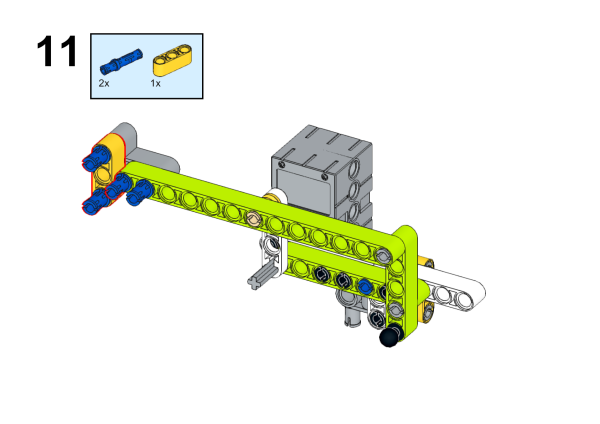
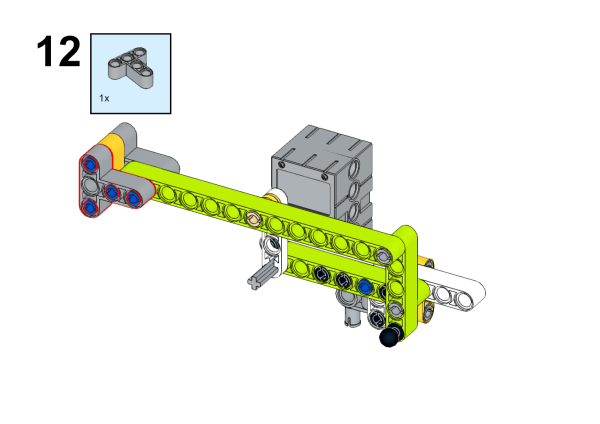
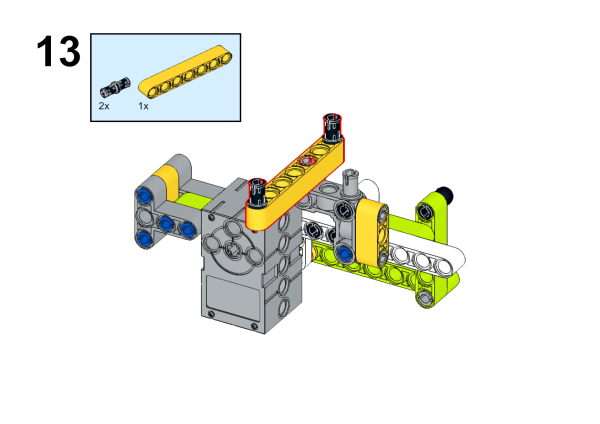
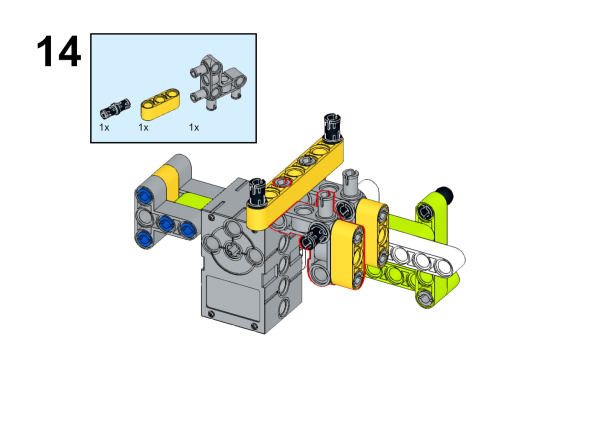


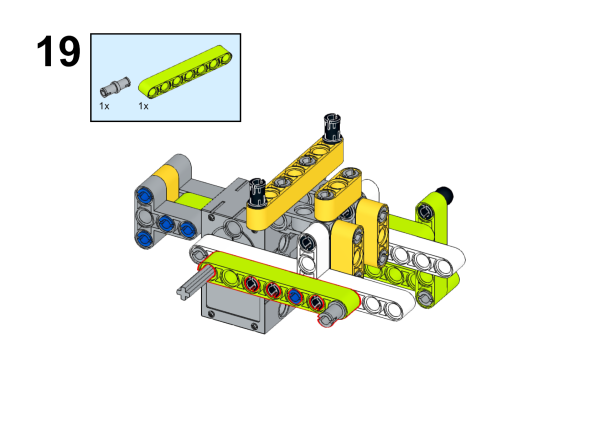


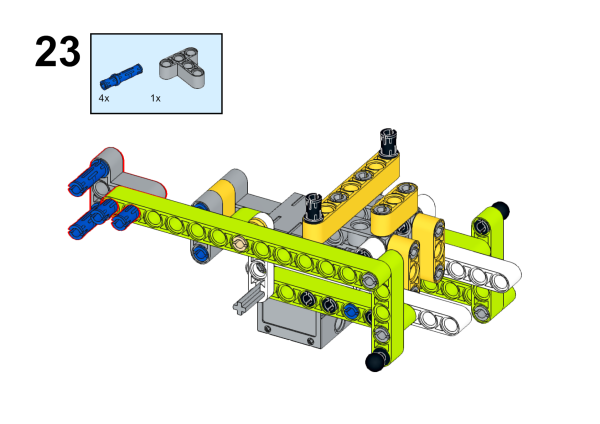


Build complete

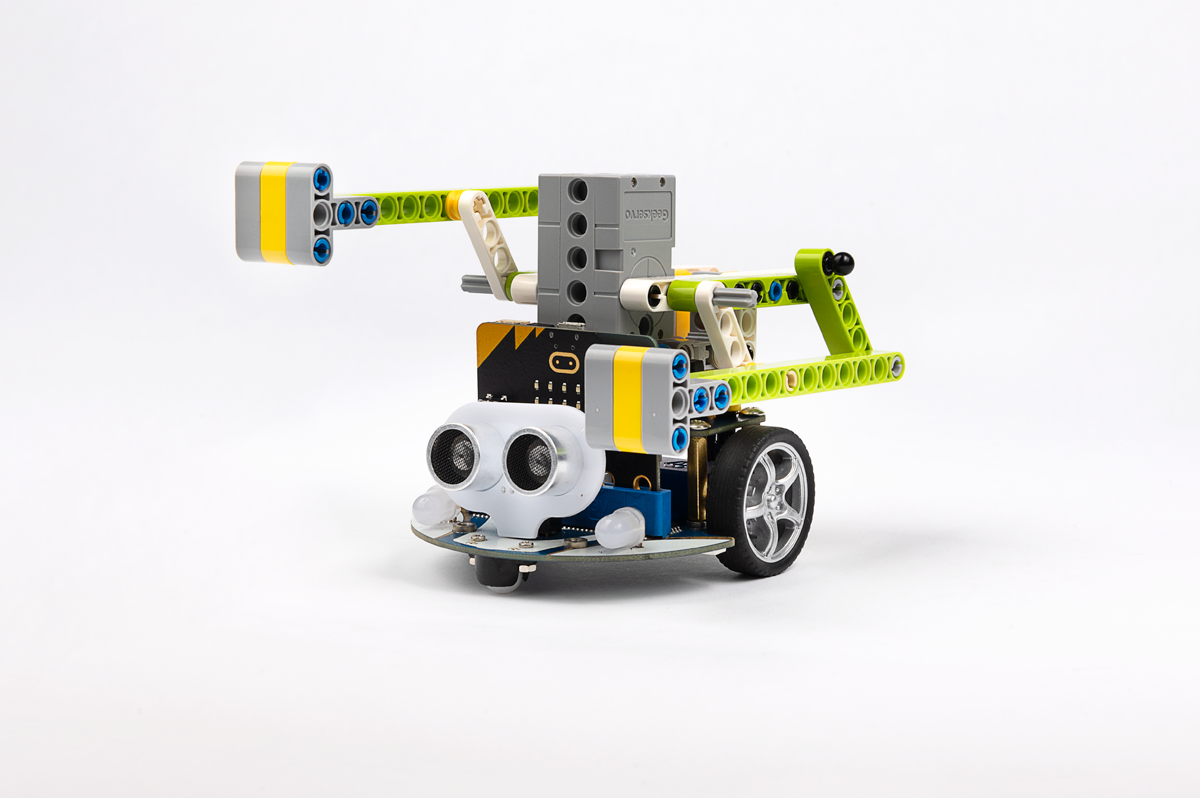
Connection method
Connect the servo to the S1 of the cutebot smart car.

Software
Program
Add extension
Click “Advanced” in the drawer of MakeCode to see more choices.

For programming, we need to add a package. Click “Extensions” at the bottom of the drawer and then search Cutebot in the dialogue box to download it.
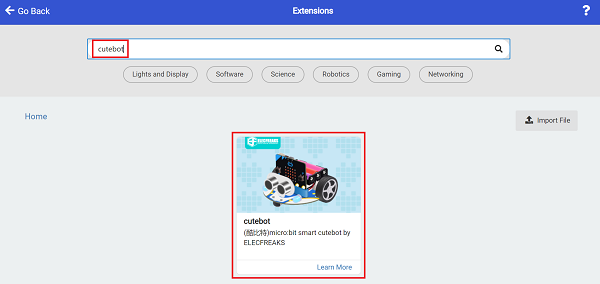
For programming, we need to add a package. Click “Extensions” at the bottom of the drawer and then search Joystick:bit V2 in the dialogue box to download it.

Note: If you get a warning indicating some packages will be removed because of incompatibility issues, you can follow the prompts or create a new project in the menu.
Program
Cutebot

Link: https://makecode.microbit.org/_5g7HoH5LKeYW
You can also download the program directly from the following webpage.
Remote control
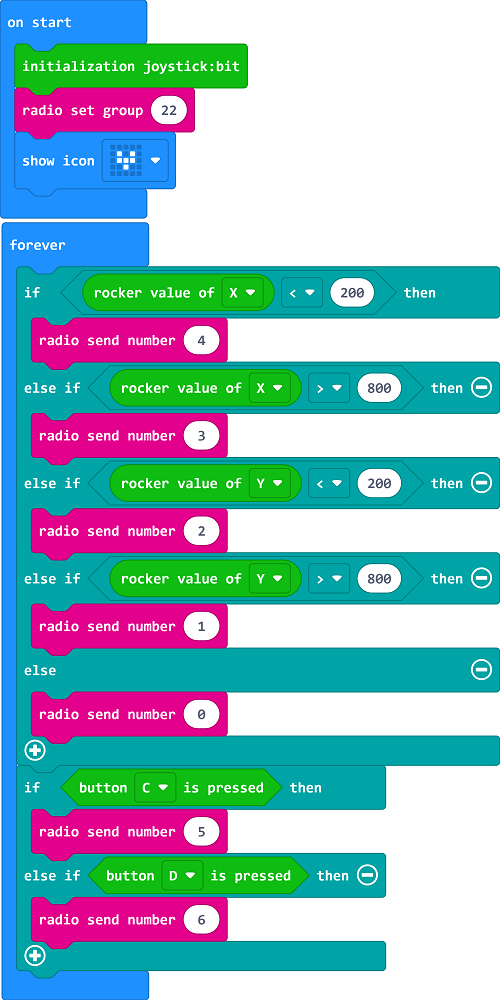
Link: https://makecode.microbit.org/_HC5Xx79x0Ezg
You can also download the program directly from the following webpage.
## ResultIf you control the driving direction of the car by the rocker of the remote control, press the C/D button of the remote control to control the servo action.