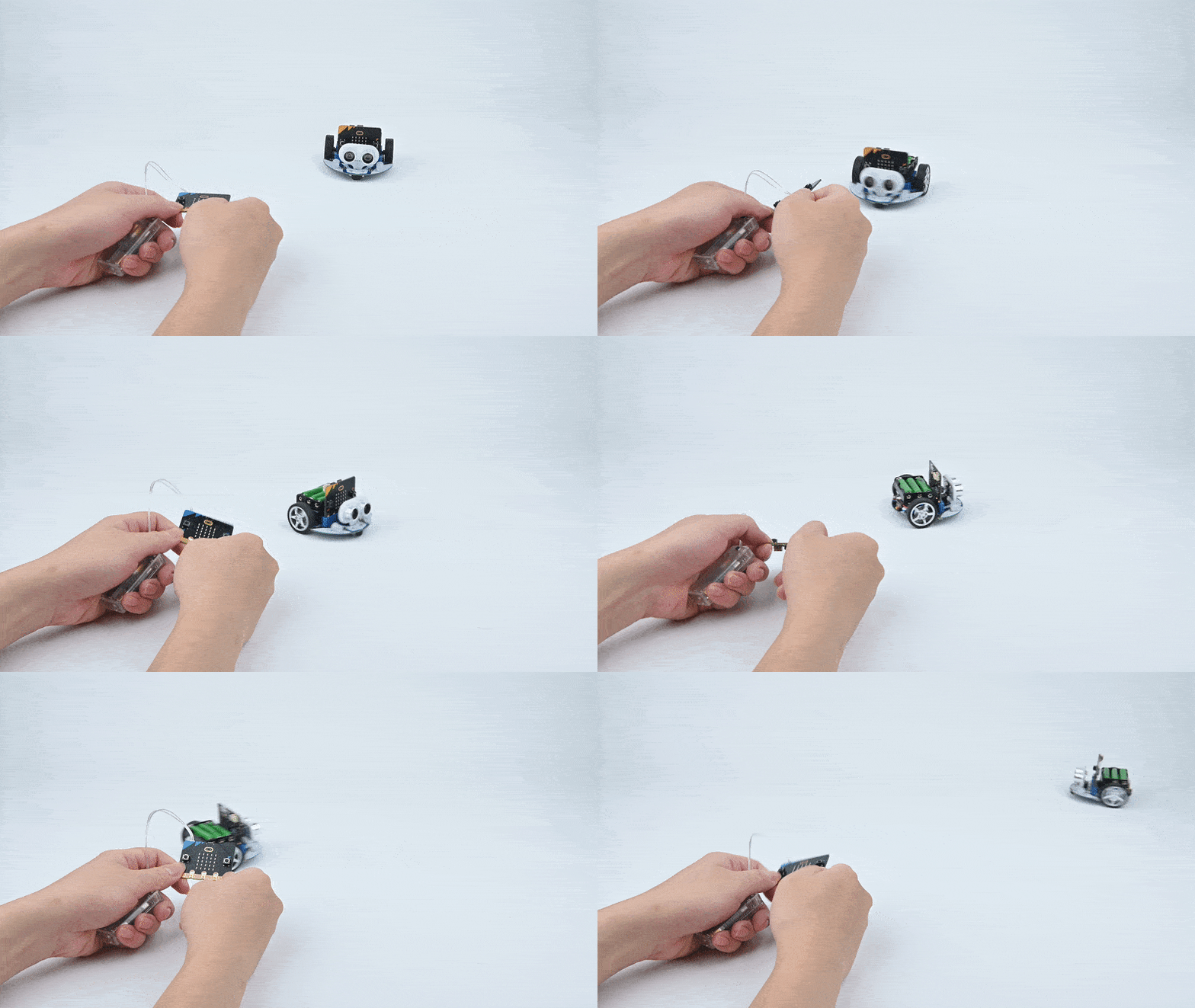
Case 12: Remote Control the Cutebot with micro:bit Accelerometer
Purpose
Use the accelerometer in another micro:bit to remote control the Cutebot for the direction and speed.
Both of the micro:bit need to be programmed.
Materials
1 x Cutebot Kit
1 x micro:bit
Software Platform
Programming
Step 1
Click the "Advanced" to see more choices in the MakeCode drawer.
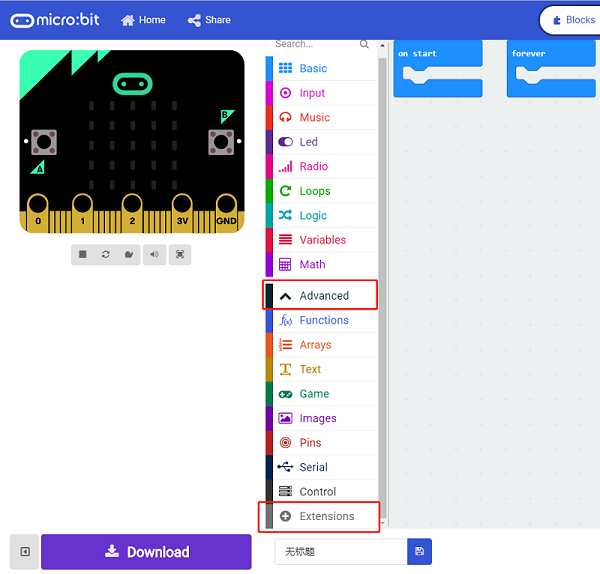
A codebase is required for Cutebot programming, click “Add Package” at the bottom of the drawer, search Cutebot in the dialogue box and download it.
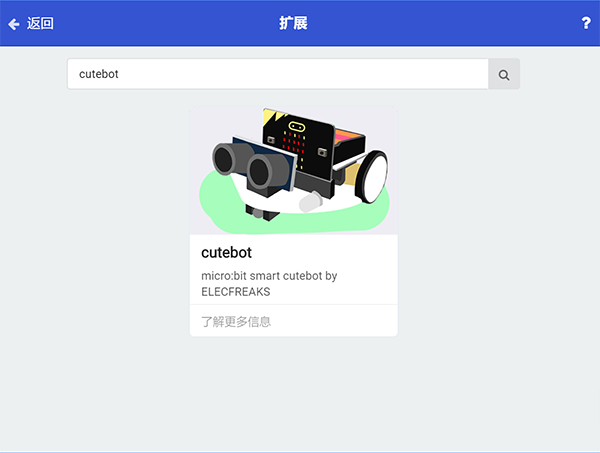
Note: If you met a tip indicating incompatibility of the codebase, you can continue with the tips or build a new project there.
Step 2: Remote Control Programming
Set "radio set group" to 1 in the On start brick.
Set x whose value is given by "acceleration (mg) x" exactly divides 10 to the radio value in forever brick.
Set y whose value is given by "acceleration (mg) y" exactly divides 10 to the radio value in forever brick.
The scope of the acceleration value is 0~1024 , which can be regarded roughly as the speed value in 0~100 after dividing 10.
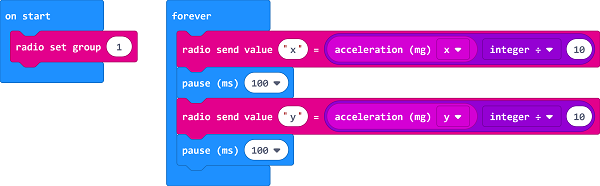
Programming
Links: https://makecode.microbit.org/_Pv01m2ehfcKT
You can also download it directly below:
Step 3: Cutebot Programming
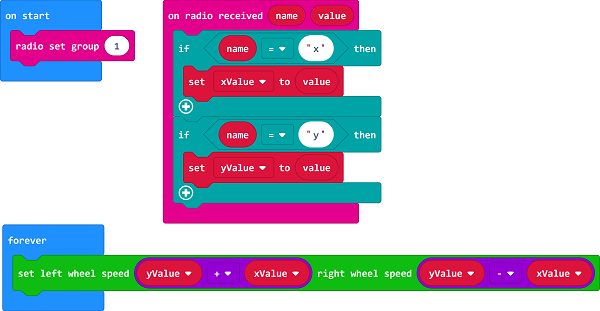
Set the "radio set group" to 1 in the On start brick. Items must be the same with the remote control for the correct match.
Drag two "if" bricks into the on radio received brick and judge if the radio revived value name is x or y
If the radio received value name is x, it is the data for X and then save the value in the variable xValue.
If the radio received value name is y, it is the data for y and then save the value in the variable yValue.
In forever brick, set the left wheel speed to yValue+xValue and right wheel speed to yValue-xValue.
Programming
Links: https://makecode.microbit.org/_VYxbiCVtE962
You can also download it directly below:
Result
The moving direction of the Cutebot is controlled by the tilt degree of the micro:bit.
The tilt angle of the controlling micro:bit controls the speed of the Cutebot