Case15: Seeking the Light
Purpose
Programme to make the Cutebot seek the light source automatically.
Materials
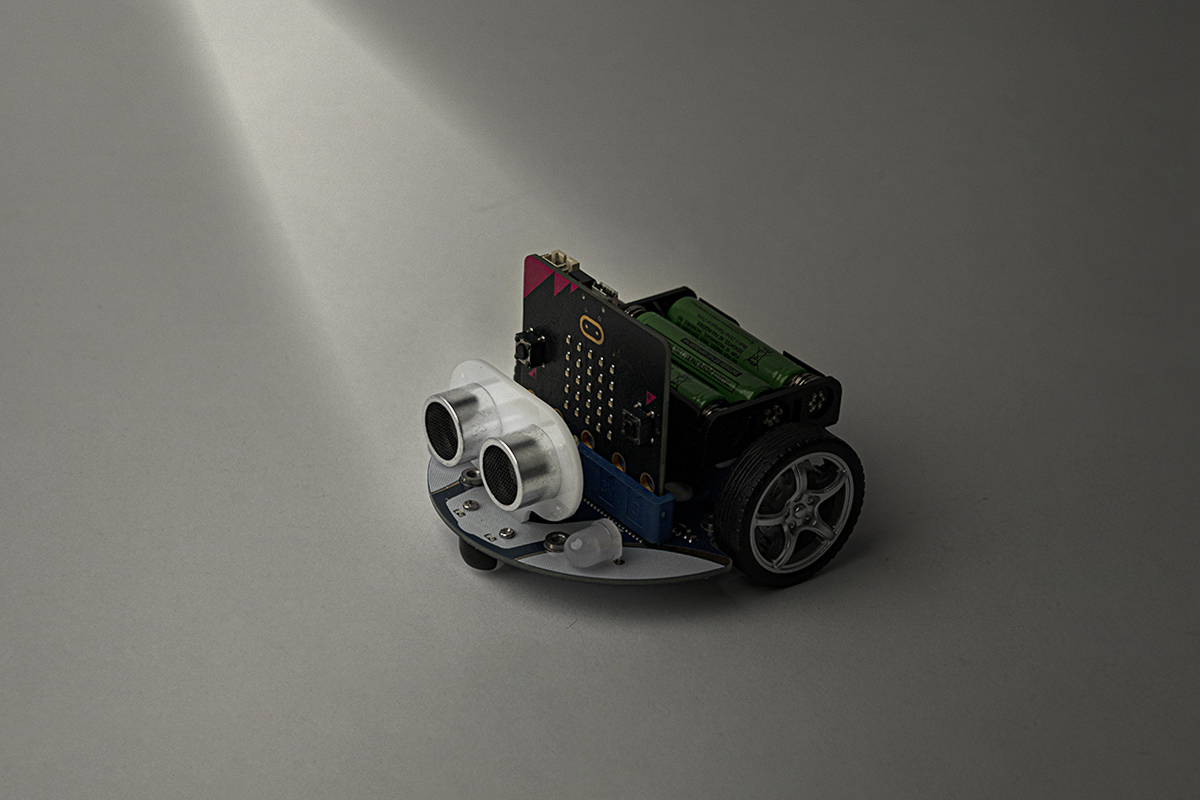
1 x Cutebot Kit
Software Platform
Programming
Step 1
Click "Advanced" in the MakeCode drawer to see more choices.
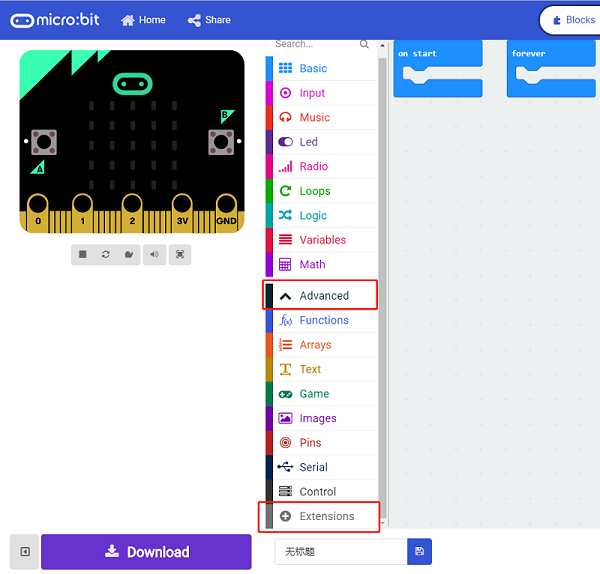
We need to add a package for programming, click "Extensions" on the bottom of the drawer and search with Cutebotin the dialogue box to download it.
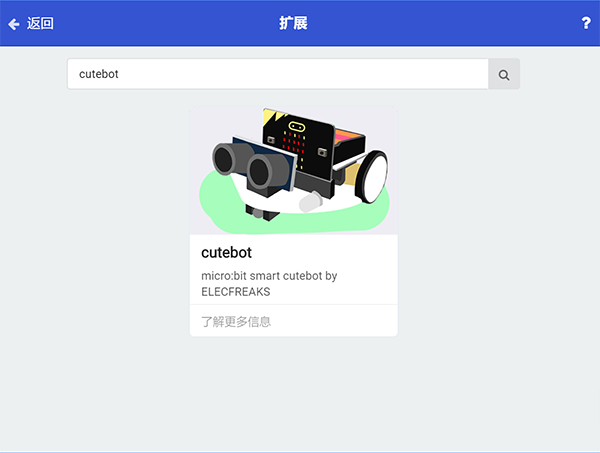
Note: If you met a tip indicating the codebase will be deleted due to incompatibility, you may continue as the tips tell or build a new project.
Step 2
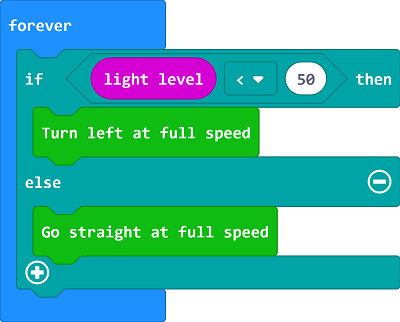
Judge the luminous intensity with the block "light level " in "forever" ; if the value is below the setting point, set the Cutebot turn left at its full speed; Or it moves forward at its full speed.
Link
Link: https://makecode.microbit.org/_YHFJwe3Hcei1
You can also download it directly below:
Result
The Cutebot spins if there is no light being detected or it drives forward to it at its full speed.