The Angry Cutebot
Purpose
Display the expressions through an 8 x 16 dot matrix screen.

Materials
1 × Cutebot smart car
1 × ELECFREAKS 8x16 Matrix Module
Hardware Connections
Plug the 8*16 dot matrix screen into the IIC interface of cutebot car, you need to pay attention to whether the connection interface is correct.

Software
Program
Add extensions
Click “Advanced” in the drawer of MakeCode to see more choices.

For programming, we need to add a package. Click “Extensions” at the bottom of the drawer and then search Cutebot in the dialogue box to download it.
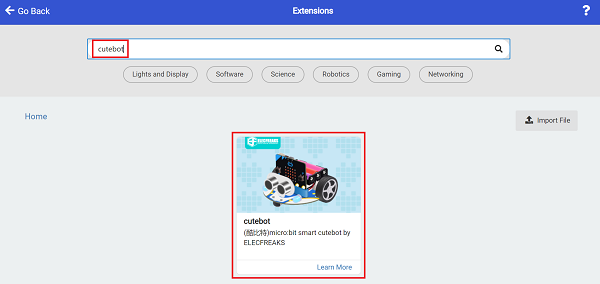
In order to program the 8*16 dot matrix screen, we need to add a code library. Find "Extensions" at the bottom of the code drawer and click on it. This will bring up a dialog box. Search for https://github.com/elecfreaks/pxt-Matrix-8x16 and click to Download it.

Note: If you get a warning indicating some packages will be removed because of incompatibility issues, you can follow the prompts or create a new project in the menu.
Program

Link: https://makecode.microbit.org/_PL2hrV271WfU
You can also download the program directly from the following webpage.
Result
When the micro:bit V2 logo is touched, the 8×16 dot matrix screen displays expressions and the cutebot smart car moves forward.
