Case 08: Robot Basics Tutorial - Screen Display
Introduction
This course aims to introduce students to screen display operations.
 Note: After XGO Rider is turned on, it needs to move back and forth slightly to keep the fuselage balanced. Please do not place XGO Rider on the edge of the table or in dangerous places to avoid damage.
Teaching Objectives
Understand the graphics and text displayed on the XGO Rider screen.
Teaching Preparation
Before starting teaching, please make sure you have prepared the following necessary materials:
| Picture | Name | Quantity | Note |
|---|---|---|---|
 | CM4 XGO Rider | 1 | |
 | PC | 1 | Prepare Yourself |
Course Introduction
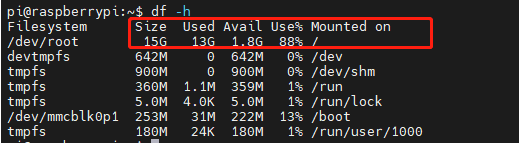
Because the factory image only has 15G system, and the SD card system is 32G, if you want to use the remaining space, you can read this tutorial. Next, let's start the learning journey.
Exploration Activities
How to view the Raspberry Pi system space and expand it.
Software
Note: After turning on the XGO Rider, in order to keep the fuselage balanced, it needs to move back and forth slightly. Please do not place the XGO Rider on the edge of the table or in a dangerous place to avoid damage.
1. Use VNC-Viewer to connect to the Raspberry Pi
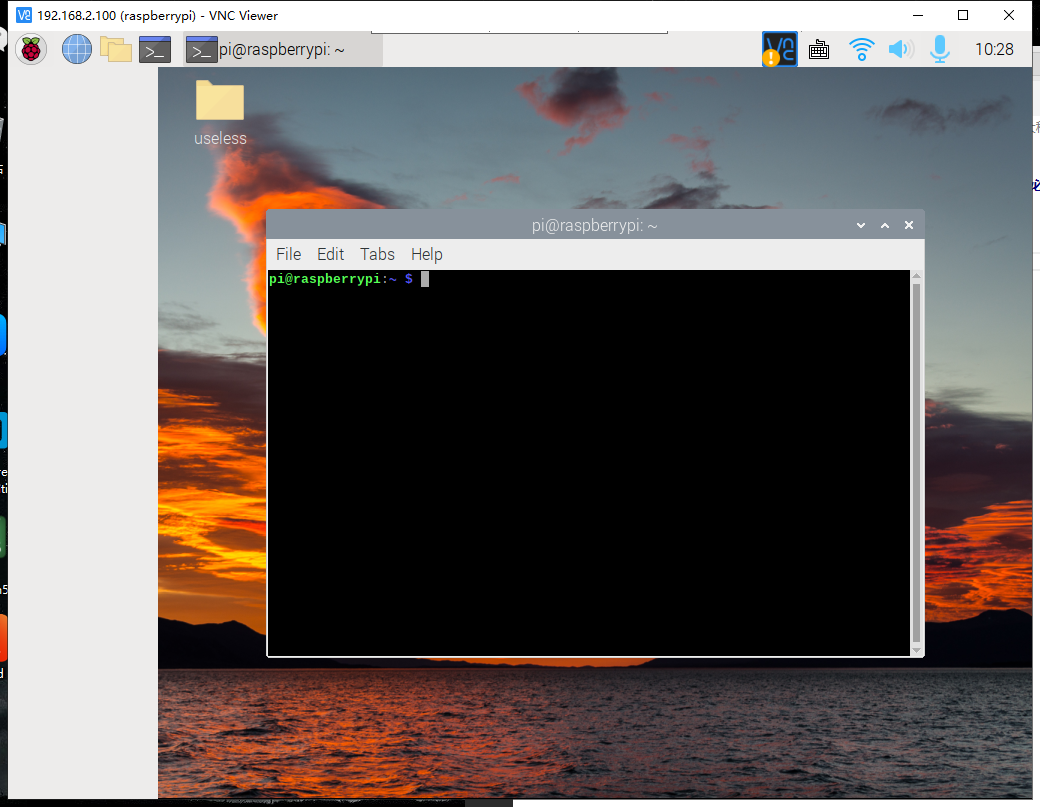
After turning on the XGO Rider, enter the remote control mode interface, and you can query the corresponding IP address. If there is no IP address, please reconnect to the network according to the network operation. Please refer to the tutorial content of Case 03, use VNC-Viewer to remotely log in to the Raspberry Pi system, enter the Raspberry Pi system desktop and open the terminal.
2. Check the system space
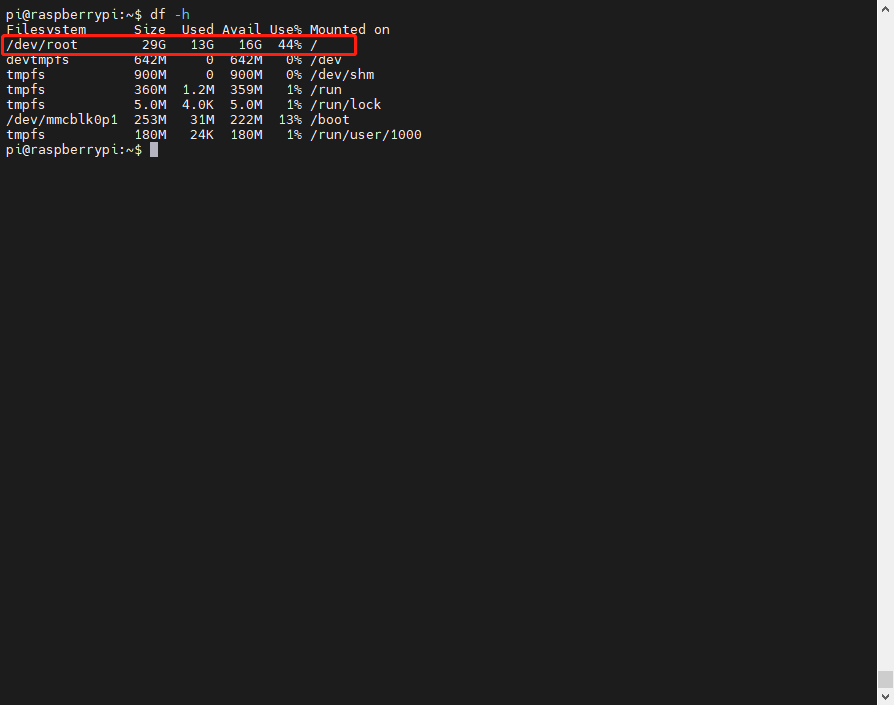
Enter the command below to check the space
df -h
You can see the space of the Raspberry Pi system
3. Expand capacity
Enter the following command to expand capacity.
sudo raspi-config
You will enter this interface.
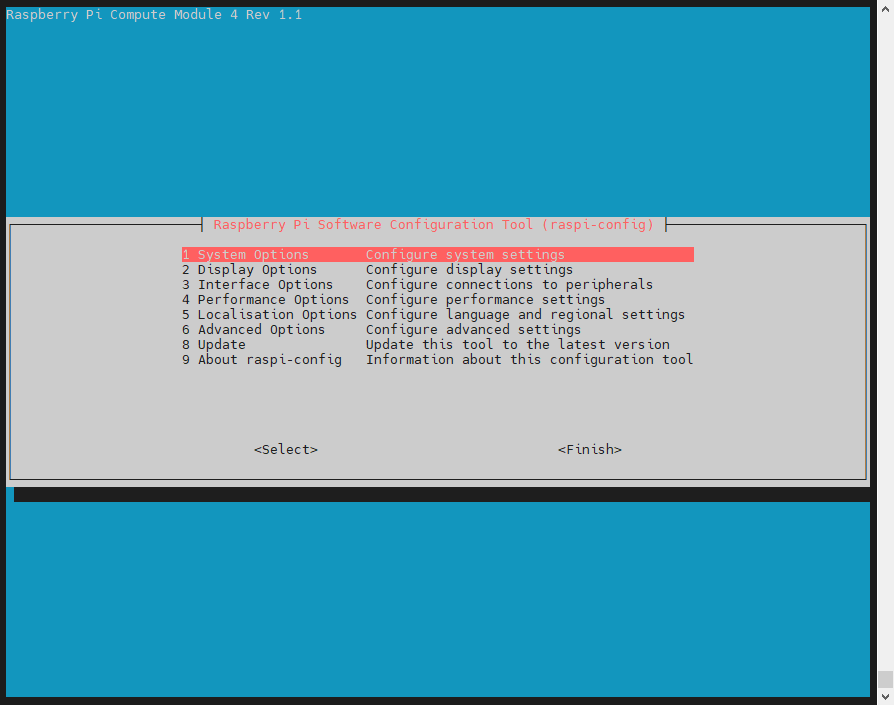
Select option 6 and press Enter.
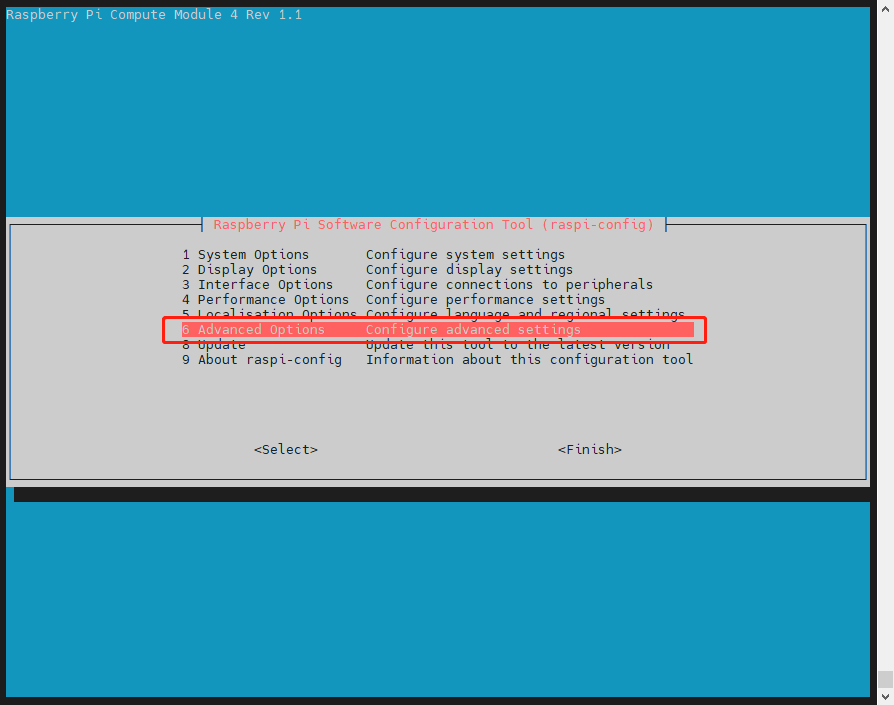
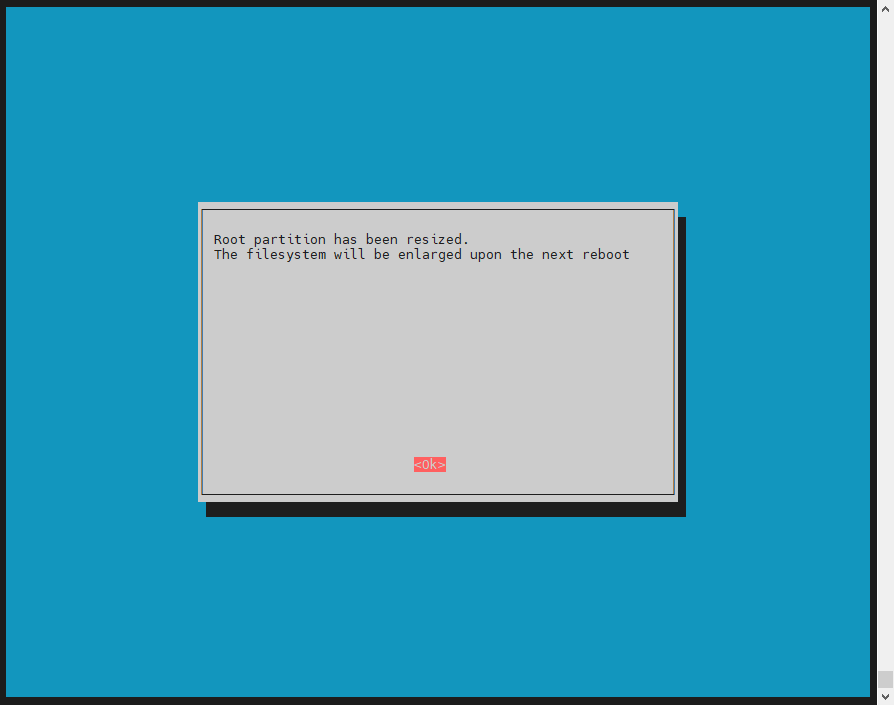
Then select option 1 and click OK.

Press Enter on this interface and select Finish. Then restart XGO Rider.
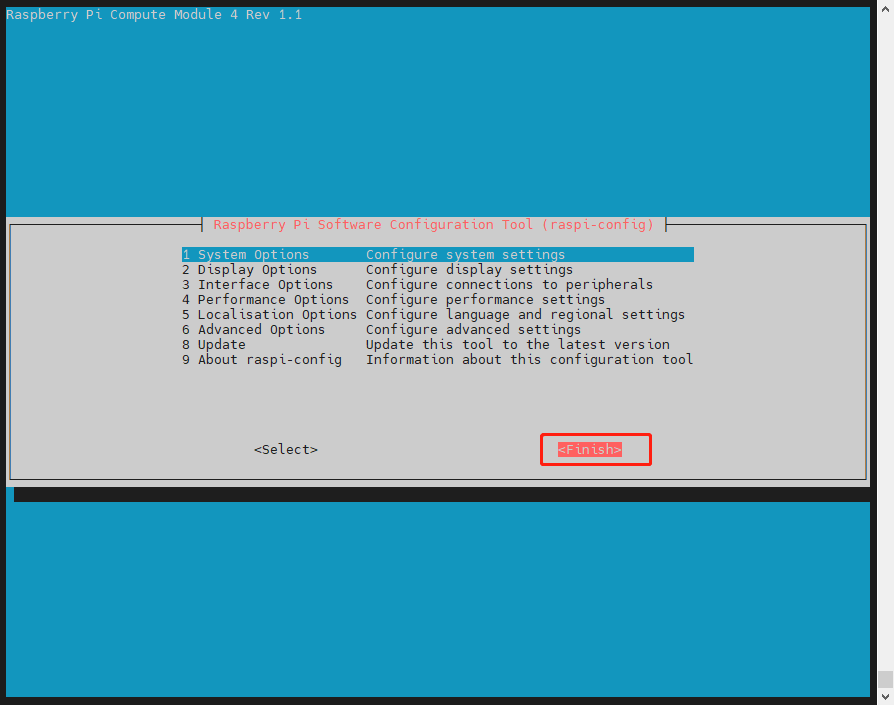
Restart XGO Rider.
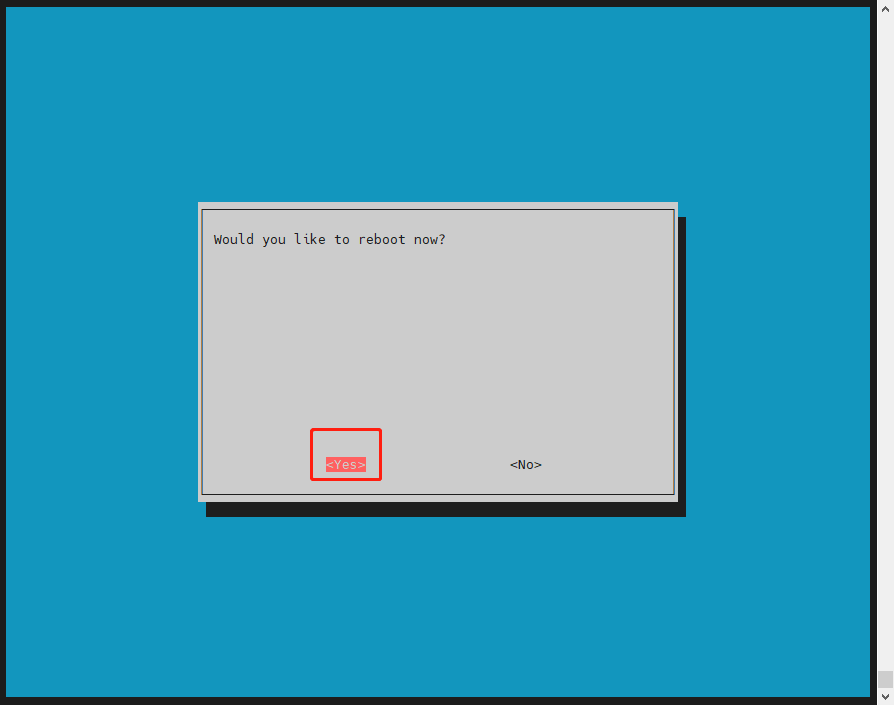
Query the space again.
df -h
It is found that the expansion is complete.