Smart Light
Introduction
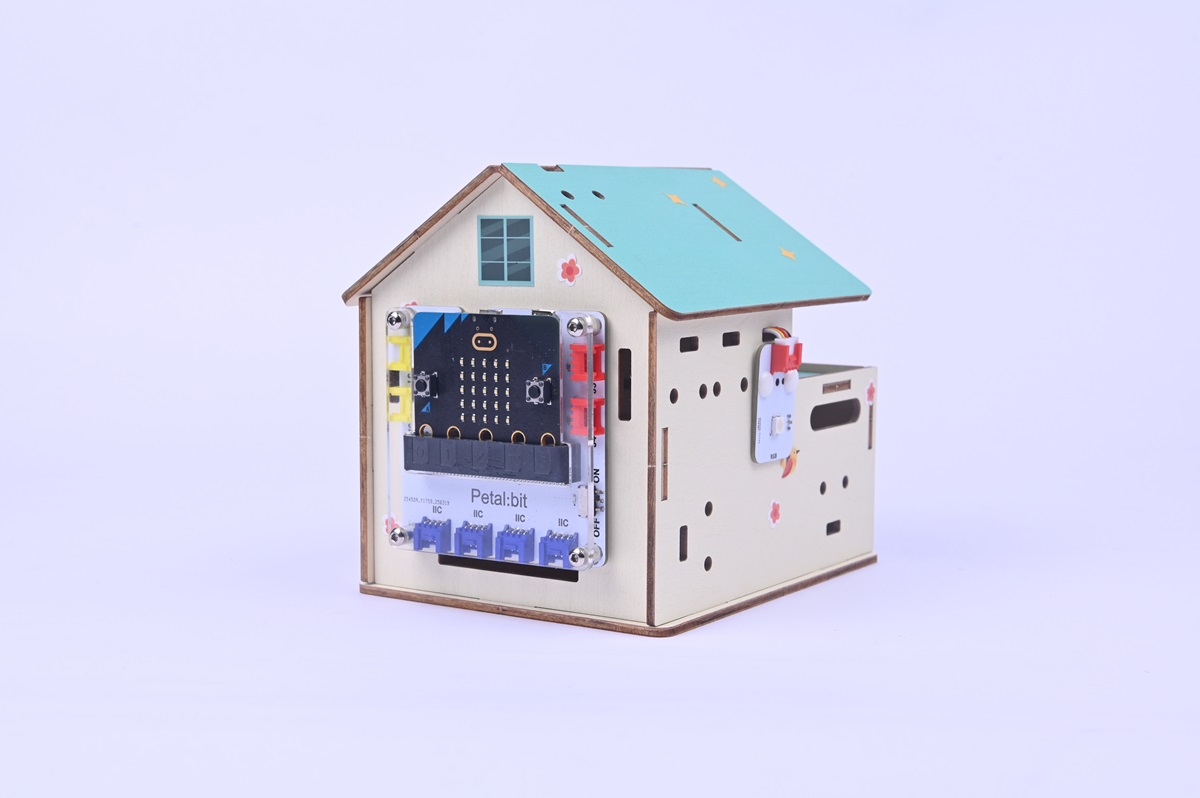
In this project, we will learn how to make a smart light that uses a micro:bit to monitor ambient light. When insufficient light is detected, the system automatically triggers the LED light set to provide illumination, achieving automated light control functionality.
Teaching Objectives
- Understand how the micro:bit detects light intensity.
- Master basic programming skills for controlling LED lights using the micro:bit.
- Comprehend the practical application scenarios of light control logic in smart homes.
Teaching Preparations
Before starting the teaching, please ensure you have prepared the following necessary materials:
| Image | Name | Quantity | Remarks |
|---|---|---|---|
| Smart Home Explorer Kit | 1 | ||
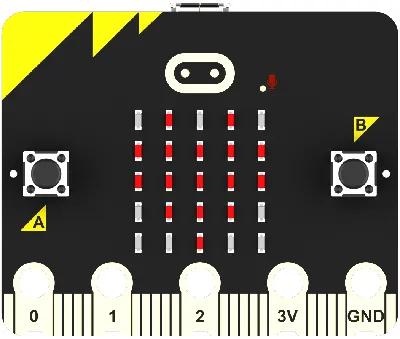 | micro:bit | 1 | Prepare separately |
 | PC | 1 | Prepare separately |
These materials will provide you with a complete experience to ensure you can smoothly proceed with subsequent operations and learning. If you have prepared the above, we can continue to the next step.
Course Introduction
In modern architecture, light-controlled lighting systems are widely used in:
- Automatic on/off lighting in underground garages
- Classroom natural light linkage supplementary lighting system
- Smart home automatic induction night lights at night
- Their core principle is to convert light signals into electrical signals through photosensitive components, and then the microcontroller executes logical judgment.
Project Production
Hardware Connection
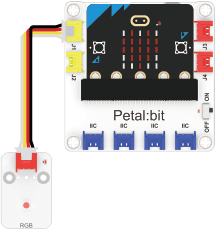
Connect the rainbow light to the J1 interface of the Petal Base Expansion Board.
Programming Platform
We usually use the graphical programming platform makecode to program the micro:bit.
Programming platform entry: https://makecode.microbit.org/
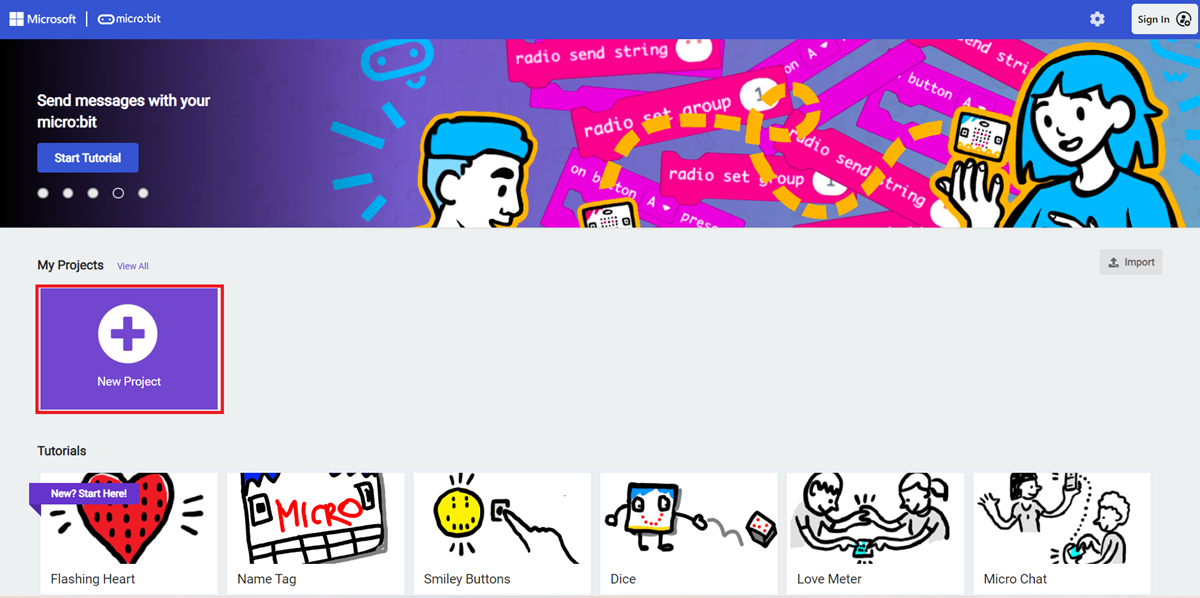
Create a New Project
Open https://makecode.microbit.org/
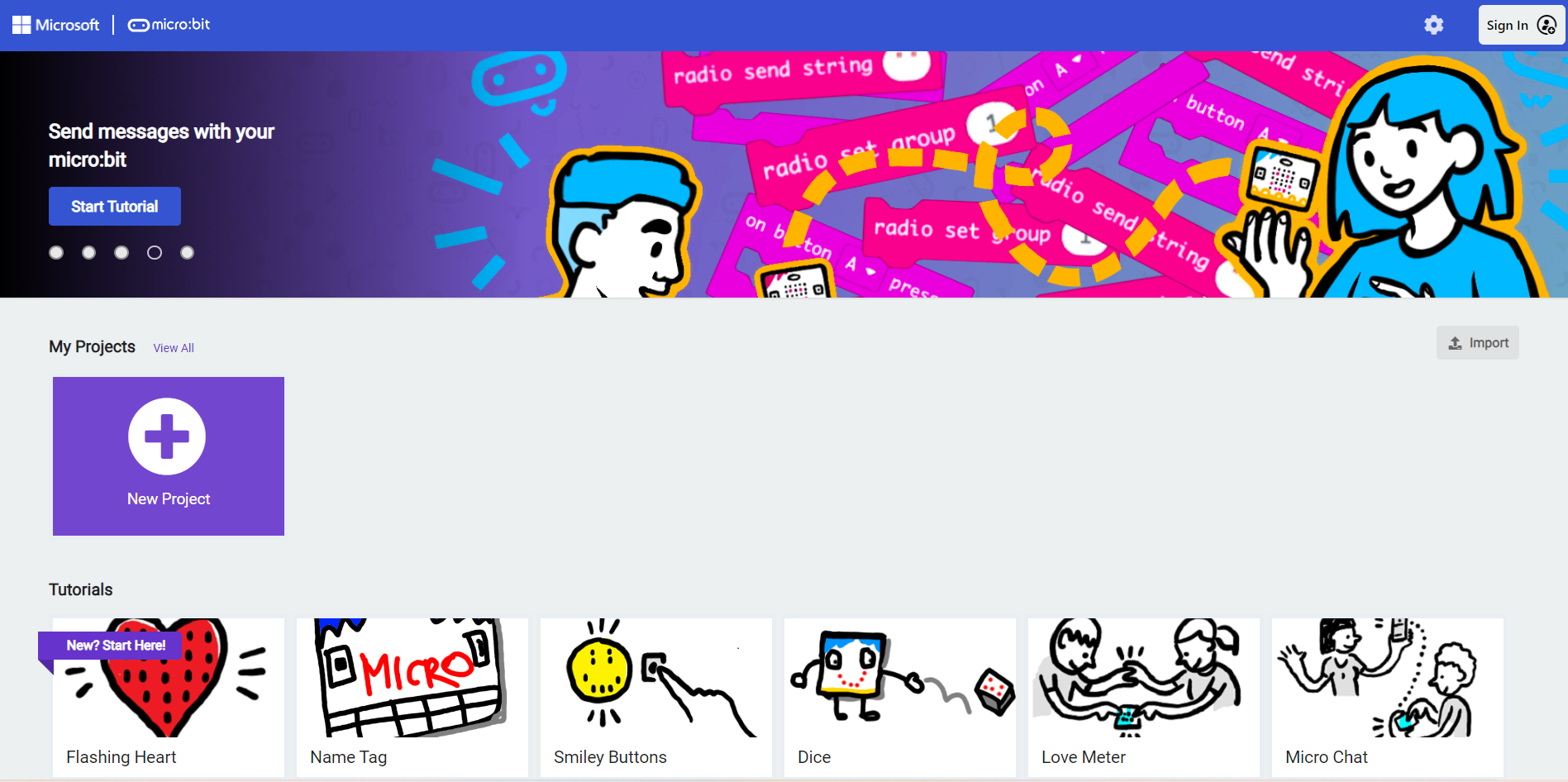
Create a new project.
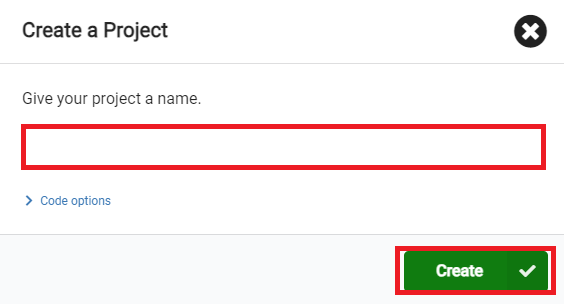
Enter the project name and click Create.
Add Software Libraries
In the makecode programming interface, click Extensions in the Toolbox.

In the pop-up page, search for petal and click to select the petal software library.

Write the Program
Example program: https://makecode.microbit.org/_UXT4YHJEmYYc
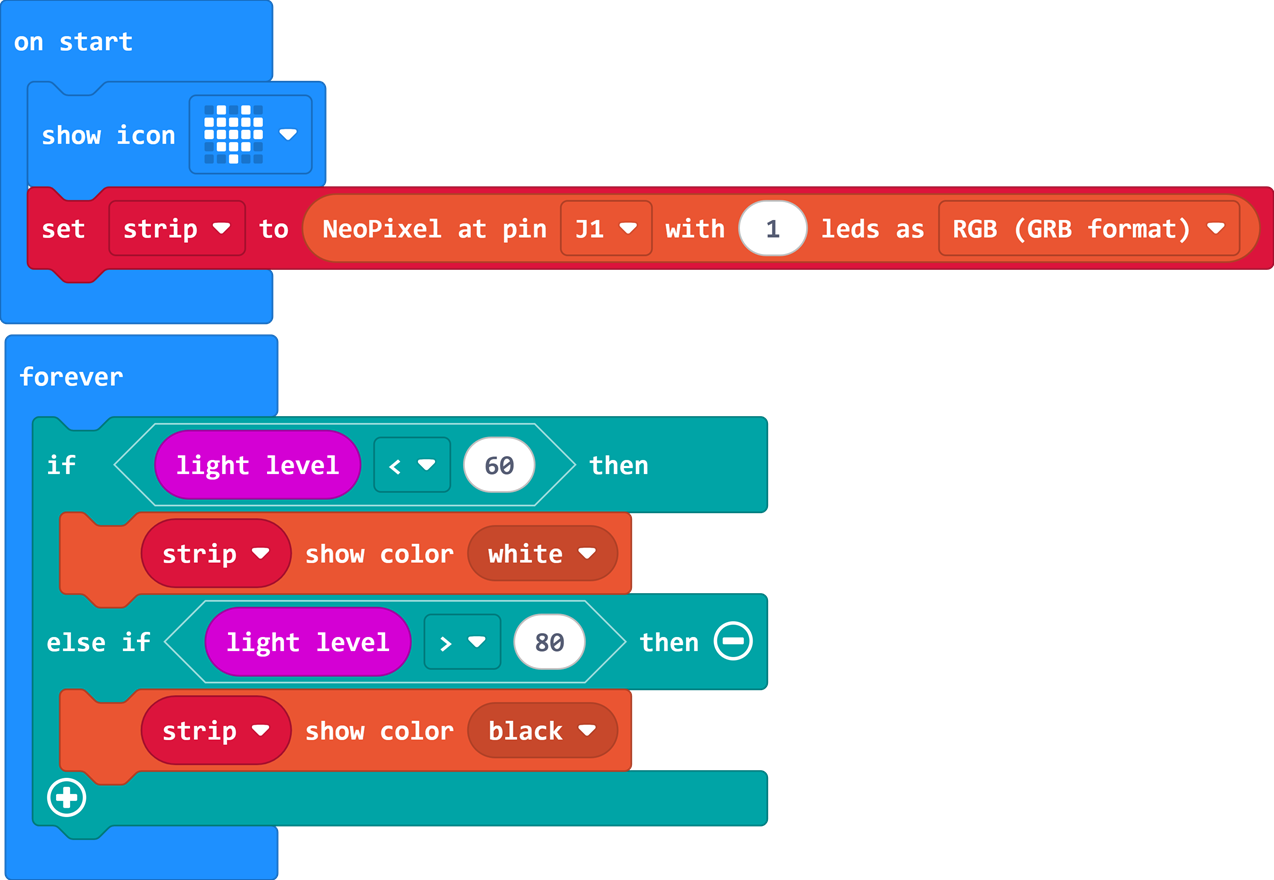
You can also directly download the program through the following web page.
How to Download the Program to micro:bit?
Connect the PC to the micro:bit V2 using a USB cable.
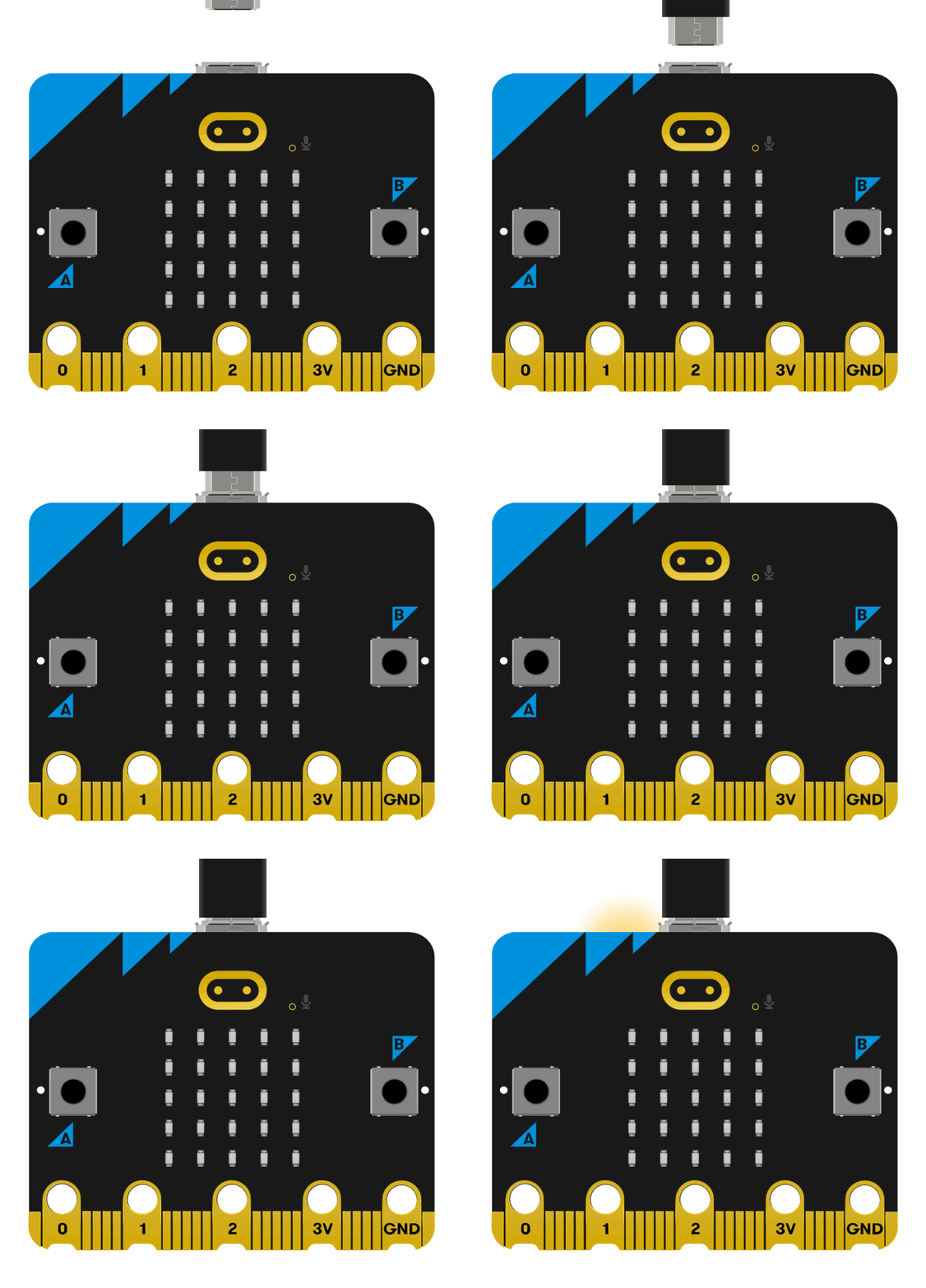
After a successful connection, a drive named MICROBIT will be recognized on the computer.

Click the icon in the lower left corner ,and chose
Connect Device。
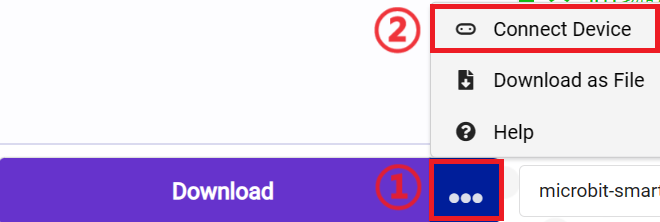
click 。
。
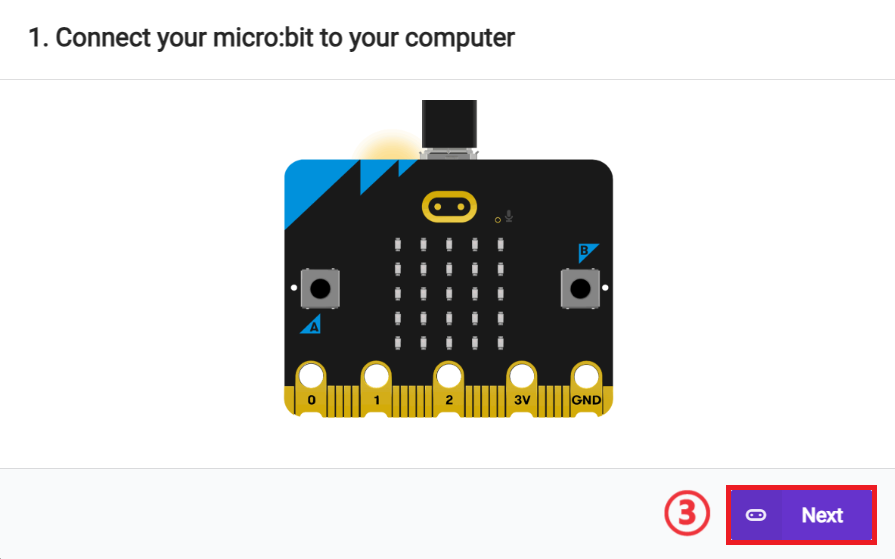
click 。
。
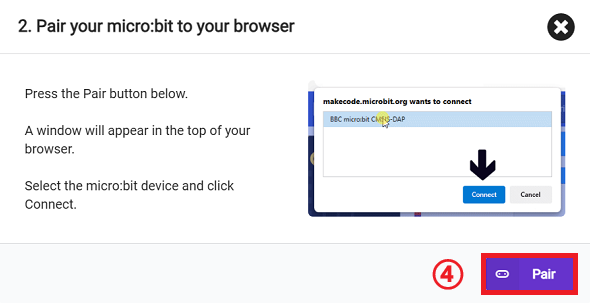
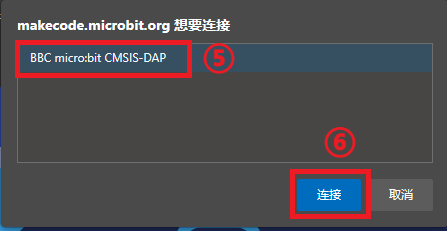
In the pop-up window, select BBC micro:bit CMSIS-DAP, then select Connect. The micro:bit is now successfully connected.
Click to download the program.

Results
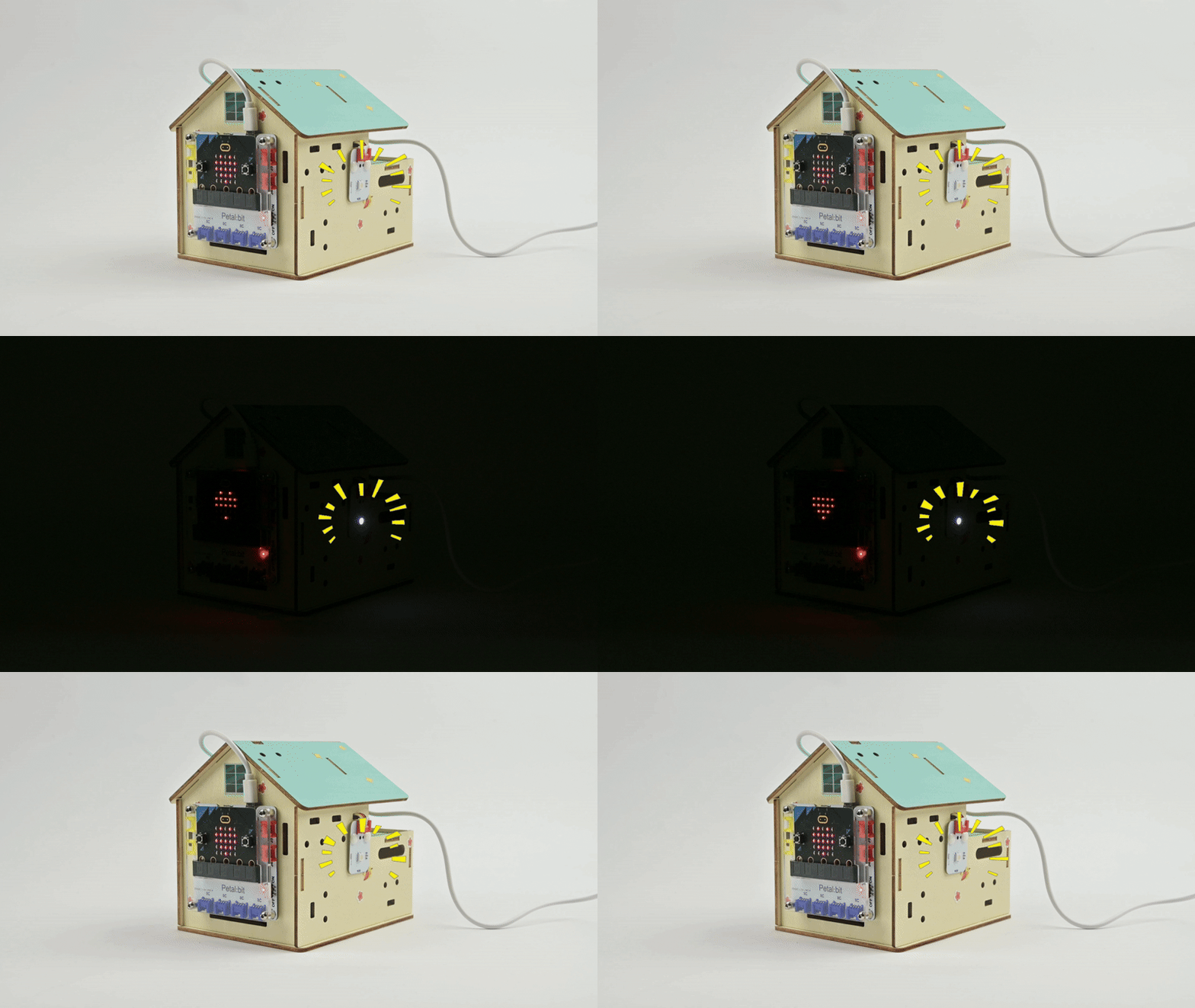
After powering on, the smart light automatically turns on or off the rainbow light according to the ambient light intensity.
Extended Knowledge
Applications of Smart Light-Controlled Lights in Daily Life
Smart light-controlled lights are widely used in daily life, improving the convenience, energy efficiency, and comfort of lighting systems through intelligent control. The following are some specific application scenarios:
- Home Automation: In home environments, smart light-controlled lights can automatically adjust brightness and color temperature based on residents' daily living habits, such as automatically reducing brightness at night to create a comfortable sleeping environment or simulating a sunrise to gradually light up in the morning, helping people wake up more naturally.
- Energy-Saving Lighting: Smart light-controlled lights can automatically turn on/off according to changes in ambient light, such as reducing or turning off artificial lighting when natural light is sufficient, thereby saving energy.
- Security Lighting: In the field of security monitoring, smart light-controlled lights can automatically turn on when abnormal activities are detected, serving as a warning and deterrent.
- Commercial Lighting: In commercial environments such as shopping malls, supermarkets, and office buildings, smart light-controlled lights can automatically adjust lighting according to human flow and time, saving energy while meeting lighting needs in different scenarios.
- Public Lighting: In public areas such as streets, parks, and squares, smart light-controlled lights can automatically adjust brightness according to seasons, weather, and time to ensure uniform and safe lighting.
- Educational Lighting: In educational 场所 (places) like schools and libraries, smart light-controlled lights can provide suitable light, reducing eye fatigue and improving learning efficiency.
- Medical Lighting: In hospitals and clinics, smart light-controlled lights can provide appropriate lighting according to different medical activities and patient needs, such as providing shadowless light effects in operating rooms.
- Hotel Lighting: Hotel rooms can use smart light-controlled lights to provide multiple lighting modes, such as reading mode and relaxation mode, to enhance guests' comfort and satisfaction.
- Smart Curtain Systems: Combined with smart curtain systems, smart light-controlled lights can automatically adjust brightness according to the opening and closing of curtains to ensure suitable indoor light.
- Emergency Lighting: In emergency situations such as fires or earthquakes, smart light-controlled lights can automatically switch to emergency lighting mode to guide people to evacuate safely.
These applications of smart light-controlled lights not only improve the quality of life but also help save energy and reduce emissions, serving as an important part of modern smart home and smart city construction. With the advancement of technology and the increase in consumers' demand for intelligence, the applications of smart light-controlled lights will become more extensive and in-depth.