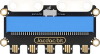
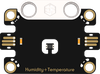
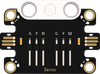
Micro:bit Related ProductsJacdac SeriesJacdac Energy Experiment KitCase 13: Smart GreenhouseOn this pageCase 13: Smart GreenhouseIntroductionSimultaneously use the Jacdac temperature & humidity sensor and soil moisture sensor to monitor the greenhouse environment in real time. Only when all three indicators are within acceptable ranges (temperature < 35, humidity < 75, soil moisture < 50) does the micro:bit LED matrix display a smiley face indicating "crop growing conditions are good." If any indicator falls outside the range, a frowny face alarm is displayed. Press button A to rotate the 360° building-block servo forward and open the ventilation window; press button B to reverse the servo and close the ventilation window; touch the Logo to stop the servo.Learning ObjectivesLearn about the temperature & humidity sensor and soil moisture sensor — core sensors for greenhouse environmental monitoring.Understand multi-condition logic judgment (AND) — all conditions must be met simultaneously to be considered satisfactory.Learn multi-sensor fusion — synthesizing readings from multiple sensors to make comprehensive judgments.Explore the applications and significance of smart greenhouses in modern agriculture.Required MaterialsItemImageQuantitymicro:bit V21Jacdac Expansion Board1Jacdac 10cm Connector Cable1Jacdac 25cm Connector Cable2Jacdac Temperature & Humidity Sensor1Jacdac Soil Moisture Sensor1Jacdac Servo Module1360° Building-Block Servo1USB Cable1Jacdac Energy Practice Kit Building Blocks1Sensor PrincipleTwo Key Greenhouse SensorsThis case simultaneously uses two types of Jacdac sensors, forming a complete greenhouse environmental monitoring system:SensorMeasurementThreshold in This CaseRole in the GreenhouseTemperature & Humidity SensorAmbient temperature; air humidity< 35 (suitable); < 75 (suitable)Moderate temperature → comfortable; too low → close window for insulation; moderate humidity → not stuffy or drySoil Moisture SensorSoil water content< 50 (suitable)Moderate soil moisture → no irrigation neededAssembly StepsModel PrincipleSmart Greenhouse — Replacing the Farmer's Eyes with SensorsIn traditional farming, farmers rely on experience to judge "should I ventilate today? should I water today?" A smart greenhouse replaces human senses with sensors:Traditional MethodSmart Greenhouse MethodAdvantageTouch the soil to judge wet/drySoil moisture sensorPrecise numerical values, 24/7 monitoringFeel whether it's hot or coldTemperature sensorAccuracy to 0.1°CJudge stuffiness by feelHumidity sensorQuantified indicators, automatic recordingIn this case, the 360° building-block servo simulates the greenhouse's motorized ventilation window — forward rotation opens the window for ventilation and cooling; reverse rotation closes the window for insulation; touch the Logo to stop.Connection DiagramAs shown below, insert the micro:bit V2 board into the Jacdac expansion board, and use cables to connect the temperature & humidity sensor, soil moisture sensor, and 360° building-block servo module to the Jacdac expansion board's edge connector.Programming SoftwareMicrosoft MakeCodeMakeCode ProgrammingStep 1: Adding the Jacdac ExtensionGo to Microsoft MakeCode and click "New Project".Enter a project name in the pop-up window and click "Create".Click "Extensions" in the code drawer.In the pop-up interface, type "Jacdac" and click the search icon, then select the Jacdac software library as shown.Step 2: Connecting the HardwareUse a USB cable to connect the micro:bit V2 board to the computer.Note: If this is the first time running a Jacdac program on the micro:bit V2, please pre-load a blank Jacdac program onto the board first. Otherwise, skip this step.Connect the sensors. MakeCode will automatically detect and simulate them in the simulator area, where sensor status is displayed in real time.Click "ADD BLOCKS" to add the sensor extension module.Note: When connecting a new sensor, repeat the "click 'ADD BLOCKS'" workflow once.Write the Program as ShownReference Program Linkhttps://makecode.microbit.org/_ac7XFk7rE4FaYou can also download the program directly from the webpage below. Once downloaded, you can start running the program.ResultWhen all three conditions — temperature < 35, humidity < 75, soil moisture < 50 — are simultaneously satisfied, the micro:bit LED matrix displays a smiley face, indicating that the greenhouse environment is suitable for crop growth. If any one indicator exceeds its threshold (temperature ≥ 35 OR humidity ≥ 75 OR soil moisture ≥ 50), a frowny face alarm is immediately displayed. Press button A to rotate the 360° building-block servo forward (100), simulating opening the ventilation window. Press button B to reverse the servo (-100), simulating closing the ventilation window. Touch the Logo to stop the servo.ThinkReal greenhouses need to monitor temperature, humidity, light, CO₂ concentration, and many other parameters simultaneously. If a light sensor were added, how should the program be modified?In this case, all three conditions must be met to show a happy face. If the logic were changed to "alarm if any one exceeds the threshold," how should the logic be changed? (Hint: AND → OR)Program LogicTrigger ConditionActionSourceTemperature < 35 AND humidity < 75 AND soil moisture < 50 (environment suitable)LED matrix displays smiley faceJacdac Temperature & Humidity + Soil Moisture SensorsAny indicator exceeds threshold (temperature ≥ 35 OR humidity ≥ 75 OR soil moisture ≥ 50)LED matrix displays frowny faceJacdac Temperature & Humidity + Soil Moisture SensorsButton A pressed360° building-block servo rotates forward (100), simulating opening the ventilation windowmicro:bit V2 Button AButton B pressed360° building-block servo rotates in reverse (-100), simulating closing the ventilation windowmicro:bit V2 Button BLogo touched360° building-block servo stops rotatingmicro:bit V2 Logo touch keyKnowledge Extension: Smart Greenhouses — When Agriculture Meets IoTI. What Is a Smart Greenhouse?A Smart Greenhouse is a modern agricultural production system that integrates sensor monitoring, automatic control, and data analysis. By deploying multiple sensors to collect environmental data in real time, the control system automatically adjusts temperature, humidity, light, irrigation, and more, creating the most suitable growing environment for crops.Traditional FarmingSmart GreenhouseAt the mercy of weather; heavily affected by climateEnvironment controlled; stable year-round productionManual watering and fertilizing based on experiencePrecise sensor monitoring; automatic irrigation and fertilizationPest and disease detection is late; heavy lossesEarly warning; precision prevention and treatmentSevere water and fertilizer wasteWater and fertilizer savings of 30%–50%Unstable yieldsYields can be significantly increasedII. Greenhouse Environmental Parameter StandardsEnvironmental ParameterSuitable Range (most crops)Sensor TypeTemperature20°C–30°C (daytime) / 15°C–20°C (nighttime)Temperature sensorAir Humidity60%–80%Humidity sensorSoil Moisture50%–70% field capacitySoil moisture sensorLight Intensity20,000–50,000 luxLight sensorCO₂ Concentration800–1,200 ppmCO₂ sensorAccording to FAO statistics, the global population will reach 9.7 billion by 2050, and food demand will increase by approximately 60%. Precision agriculture, represented by smart greenhouses, is one of the key technologies to address this challenge.III. AND Logic — From Code to LifeThe core logic of this case — multiple conditions all satisfied simultaneously (AND) — exists far beyond code:ScenarioAND LogicPassing an examLanguage passed AND Math passed AND English passedRocket launchWeather OK AND Equipment OK AND Trajectory OK AND Communications OKPhone unlockFace matched AND eyes looking at screen (anti-photo unlock)Greenhouse passes checkTemperature OK AND Humidity OK AND Soil OKThe three-condition AND judgment program you wrote follows the exact same logic as SpaceX's pre-launch "Go/No-Go" checklist — thousands of conditions must all be green before ignition. Programming mindset is everywhere.

.png)