Case 01: Password Recognition
Purpose
To make the AI Lens be able to recognize the password on the card.
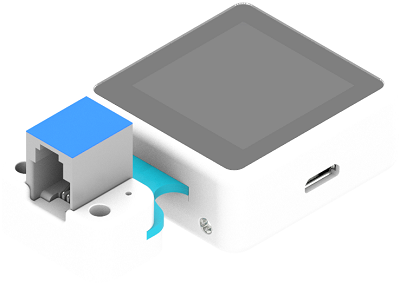
Products Link
ELECFREAKS Nezha Breakout Board
Materials Required and Connection Diagram
Connect the AI Lens to the IIC port on the Nezha expansion board as the picture shows.

MakeCode Programming
Step 1
Click "Advanced" in the MakeCode drawer to see more choices.
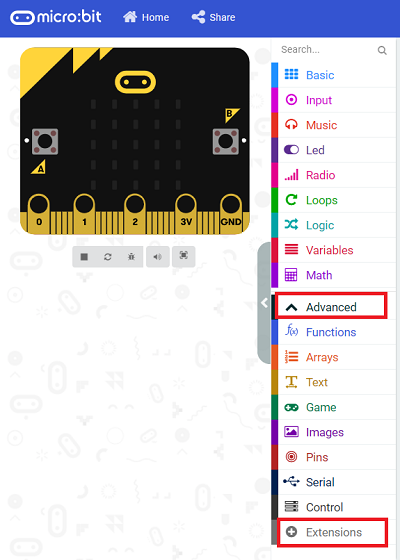
We need to add a package for programming. Click "Extensions" in the bottom of the drawer and search with "PlanetX" in the dialogue box to download it.

Note: If you met a tip indicating that the codebase will be deleted due to incompatibility, you may continue as the tips say or build a new project in the menu.
Step 2
Code as below:
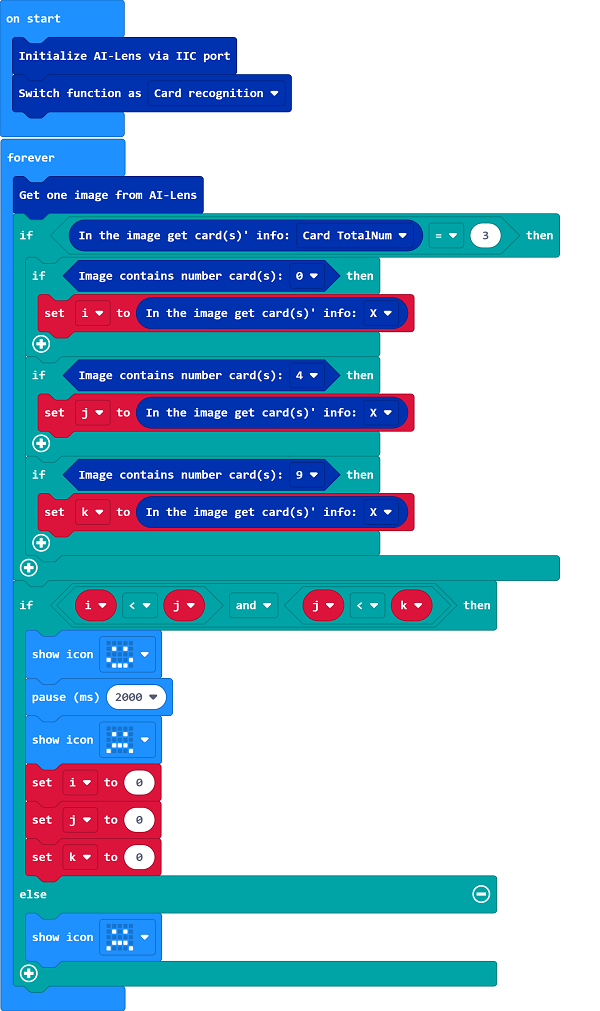
Link
Link: https://makecode.microbit.org/_PJXaaWgAHY9h
You may also download it directly below:
Result
Place the cards named 0,4,9 accordingly in the front of the lens, a smile face should display on the micro:bit; or it displays a sad face.