Remote Control with micro:bit Accelerometer
Purpose
- Programme to control the TPBot with the accelerometer.
Material
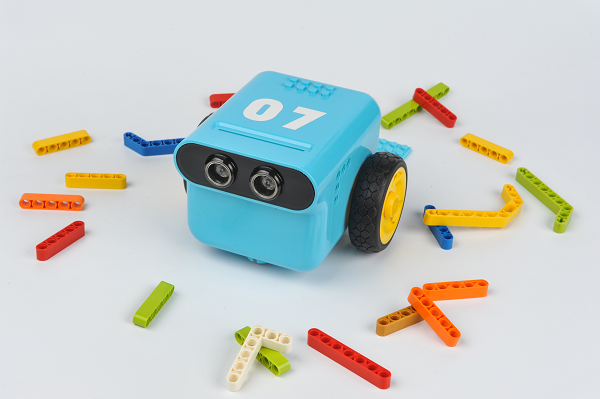
- 1 x TPBot
Software
Programming
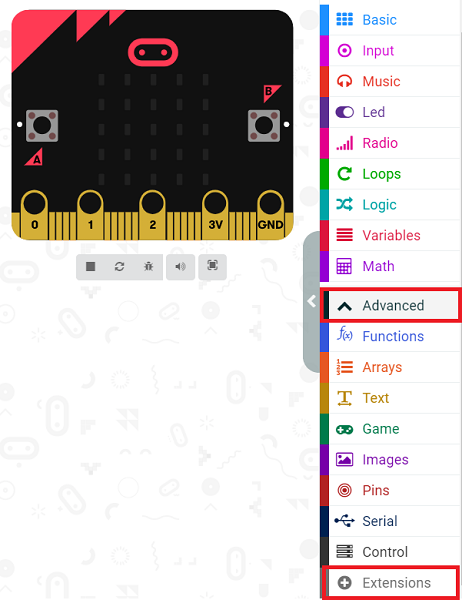
- Click "Advanced" to see more choices in the MakeCode drawer.
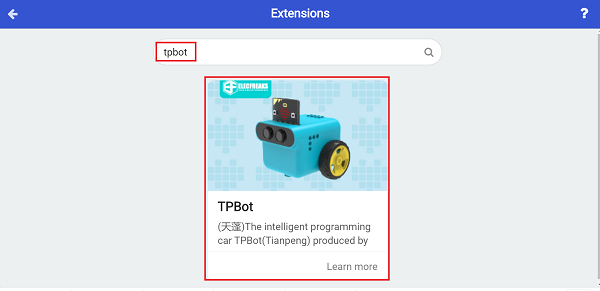
- We need to add a package for programming. Click "Extensions" in the bottom of the drawer and search with "tpbot" in the dialogue box to download it.
Sample
Remote Control Part
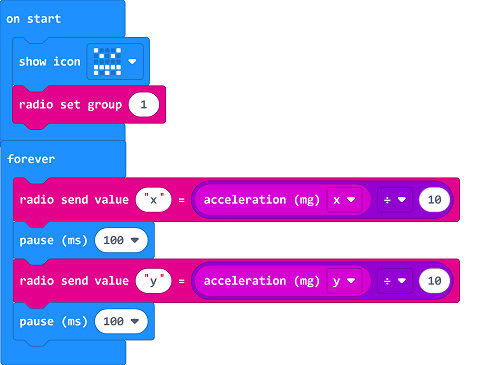
- Set the micro:bit showing a set icon and the radio group as 1.
- Radio send x which is given by its acceleration dividing 10 in the forever brick.
- Radio send y which is given by its acceleration dividing 10 in the forever brick.
Link
You may also download it directly below:
Receiving Part
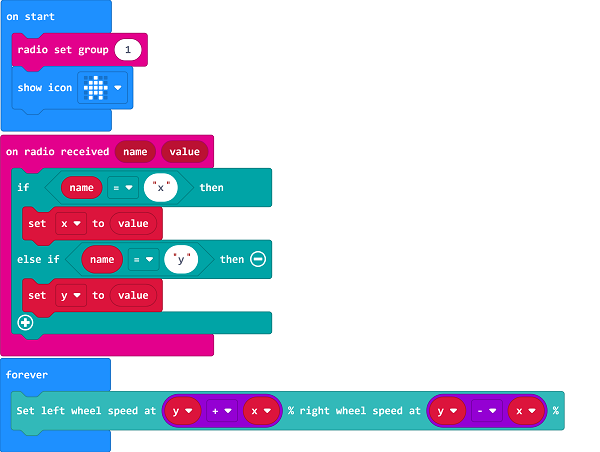
- Set the micro:bit showing a set icon and the radio group as 1.
- Drag two" if...else..." sentences to the "on radio received..." block, judge if the received name is x or y.
- If it's x, save it as the variable as the accelaration from the x.
- If it's y, save it as the variable as the accelaration from the y.
- Set the speed of the left wheel being y+x and the right wheel being y-x.
Link
You may also download it directly below:
Conclusion
- Power up to show the set icon on the micro:bit display, and the movement of TPBot is controlled by the changing angel from the micro:bit.