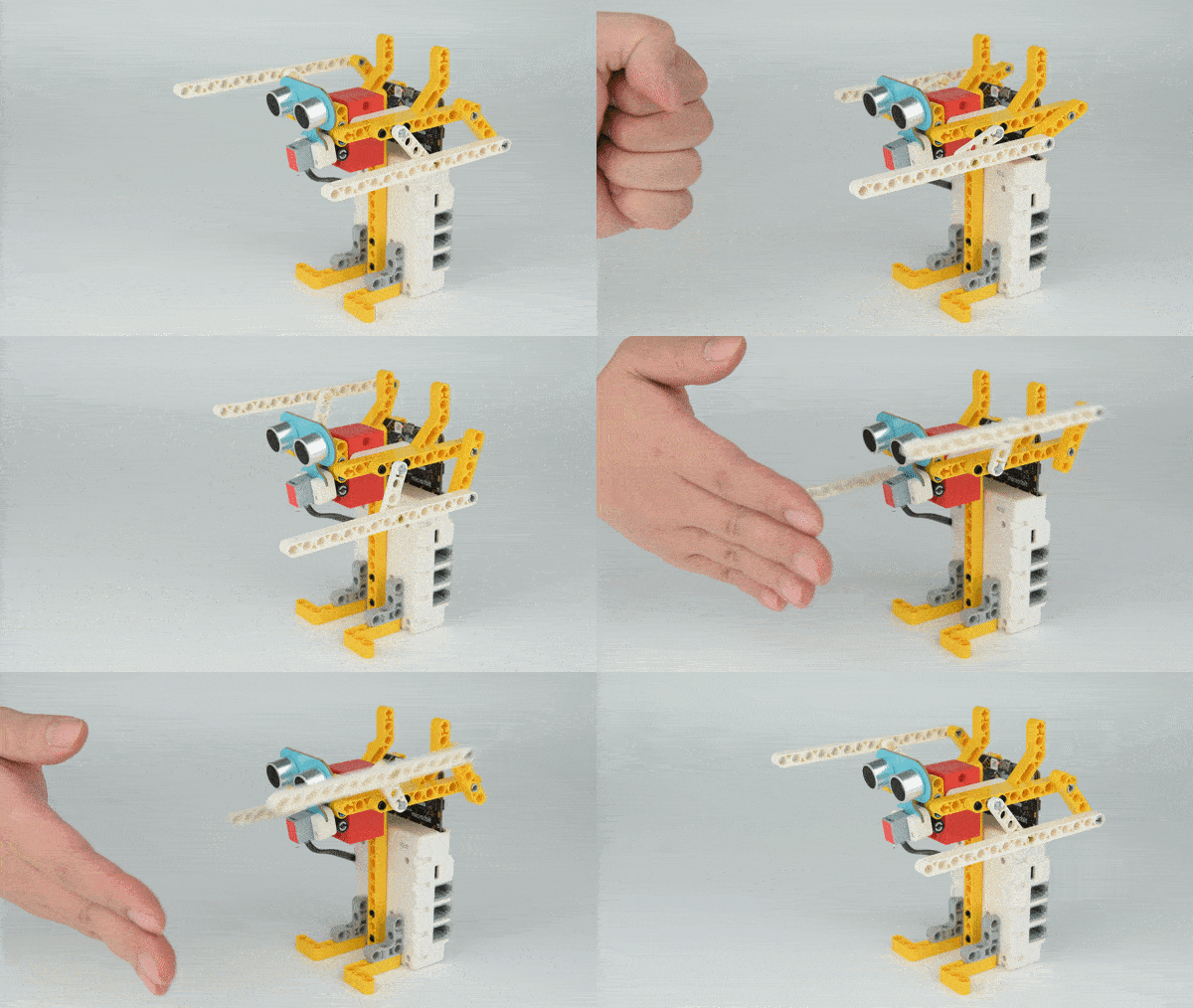
Case 61: The Boxing Robot
Introduction
Make a boxing robot with Nezha 48 IN 1 Inventor's Kit.
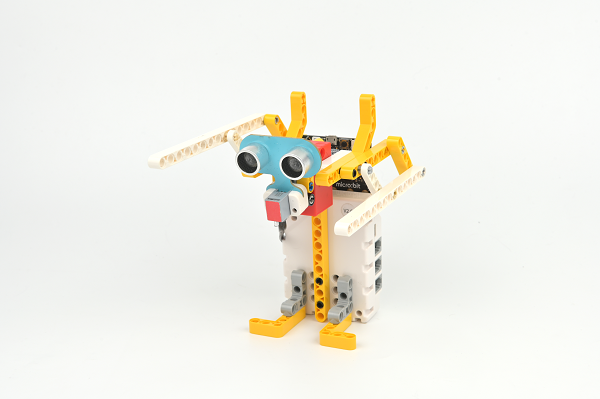
Quick to Start
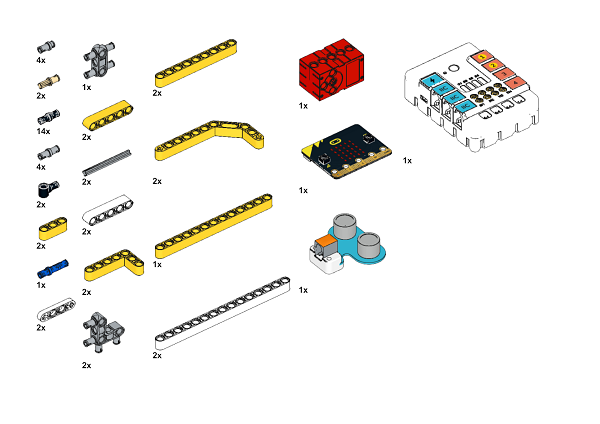
Materials Required
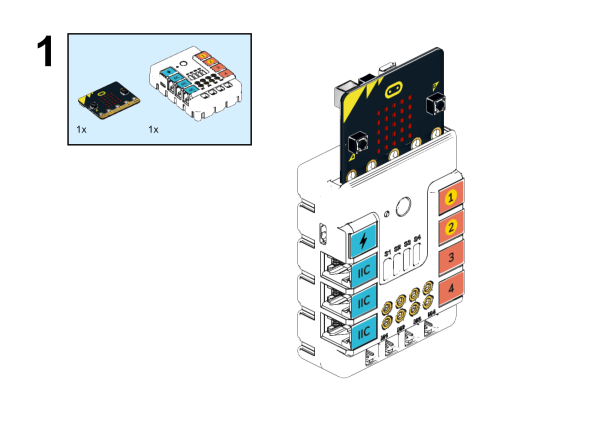
Assembly steps
Components Details
Build it as the assembly steps suggest:
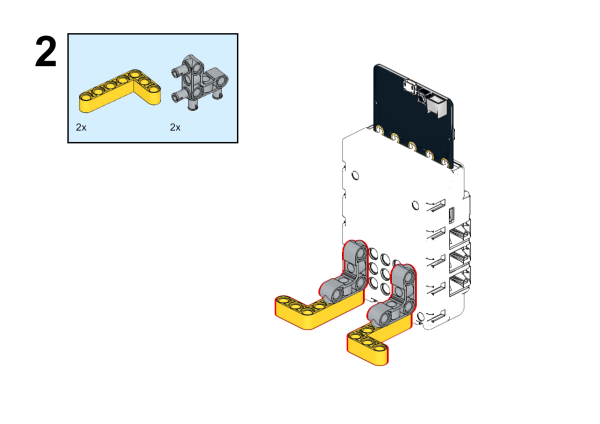
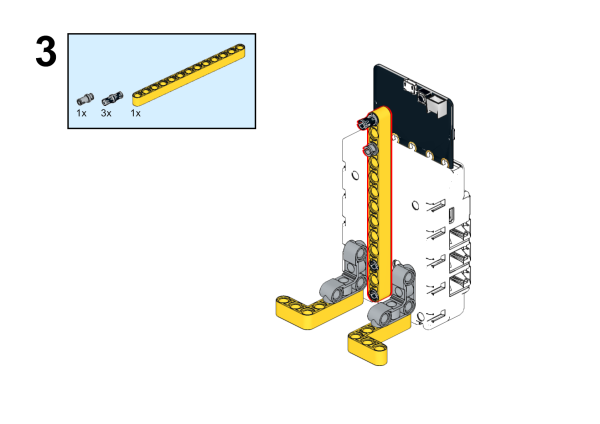
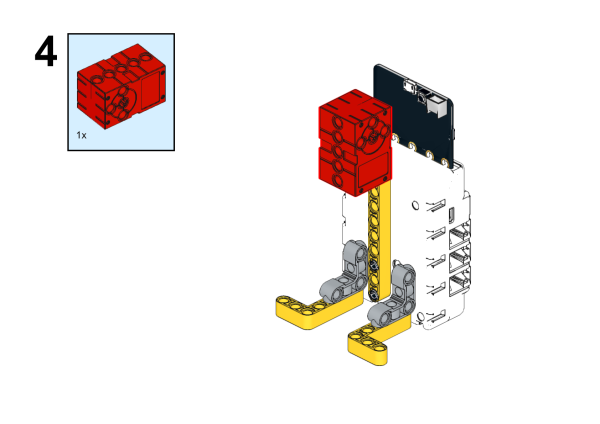
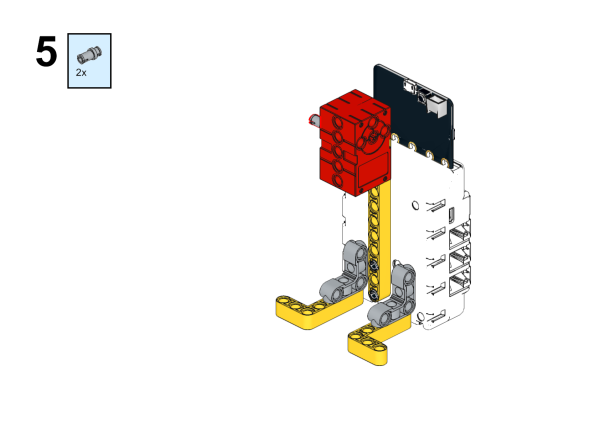
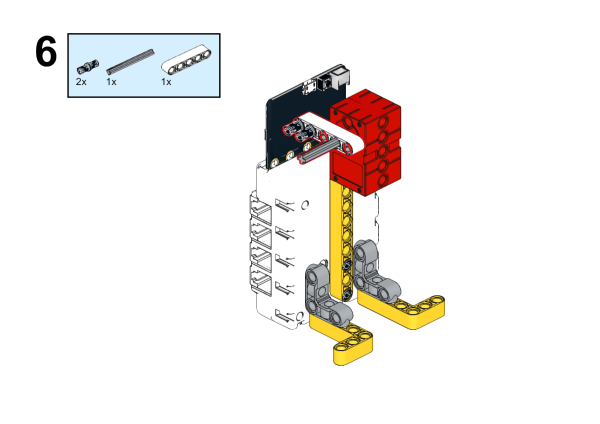
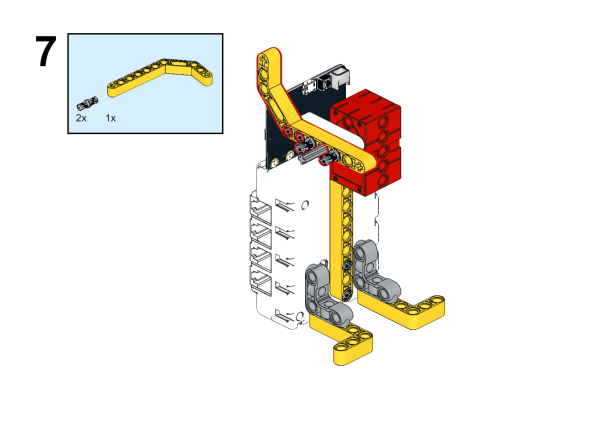
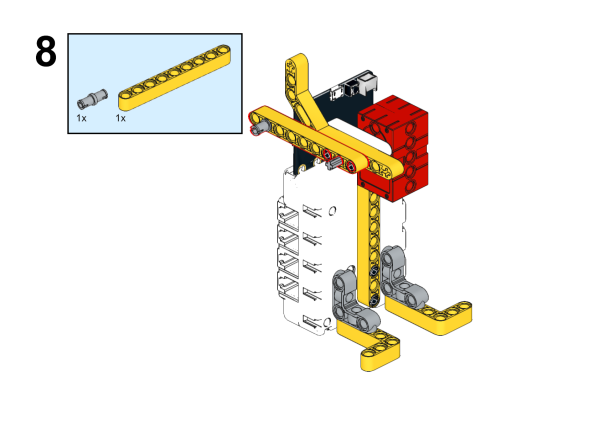
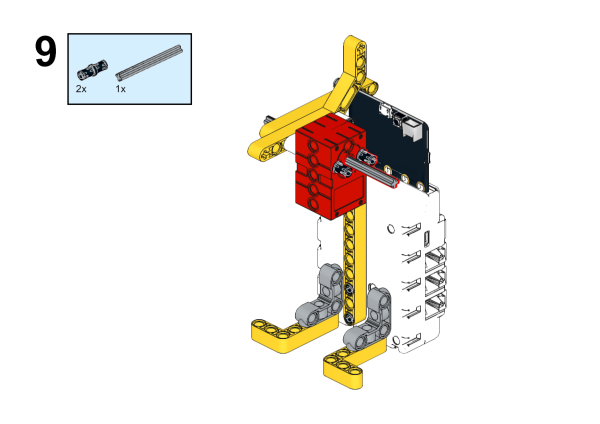
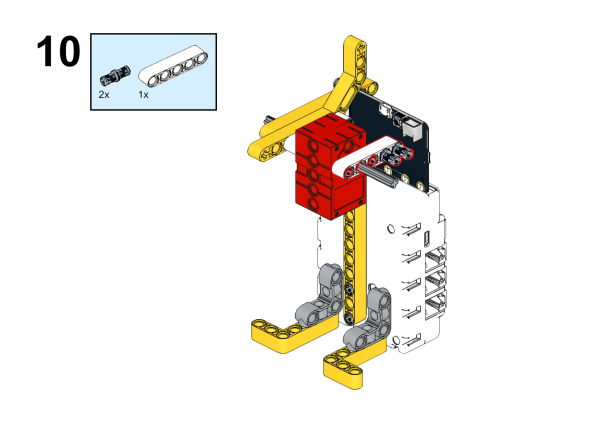
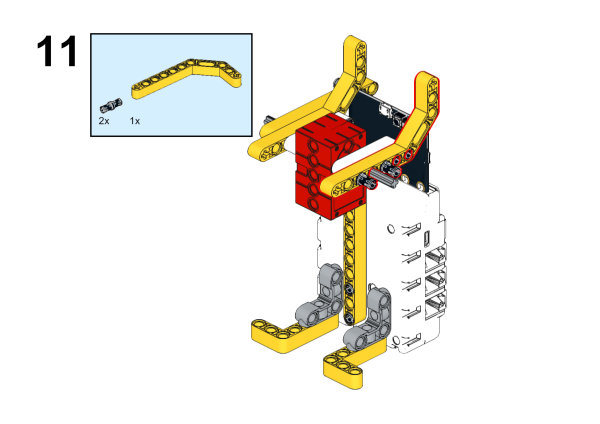
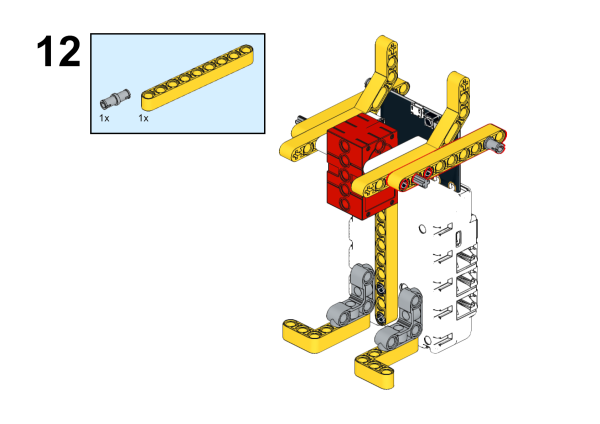
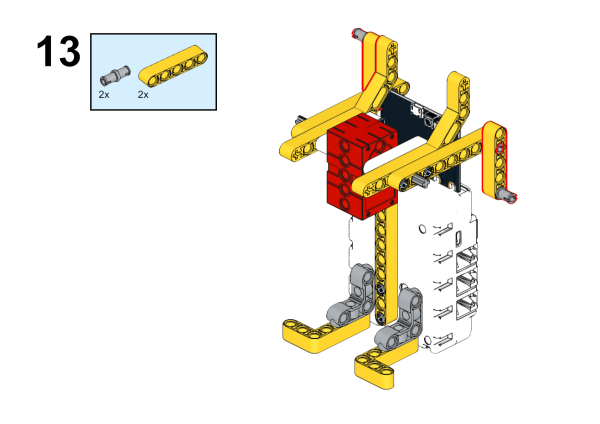
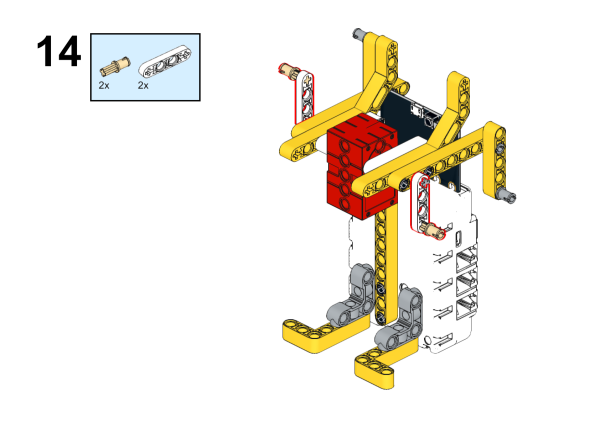
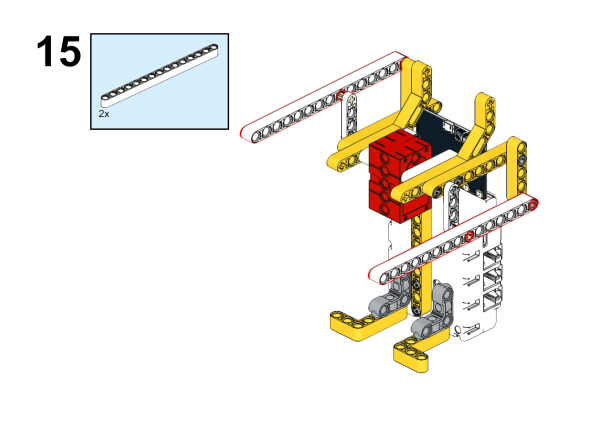
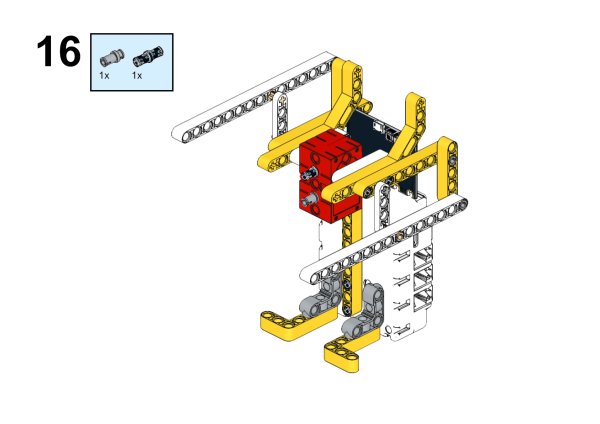
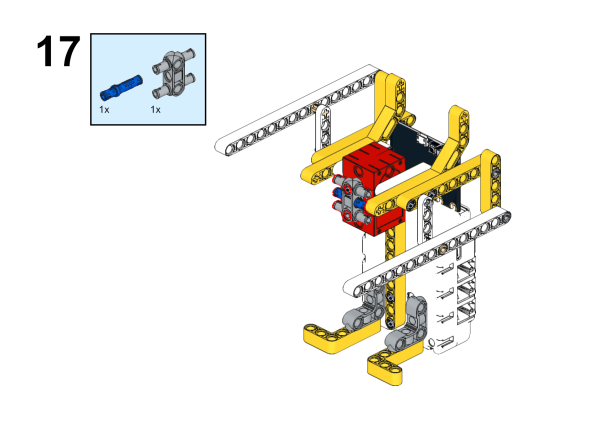
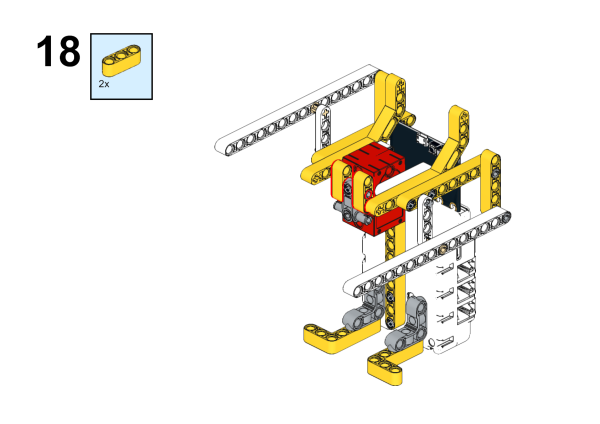
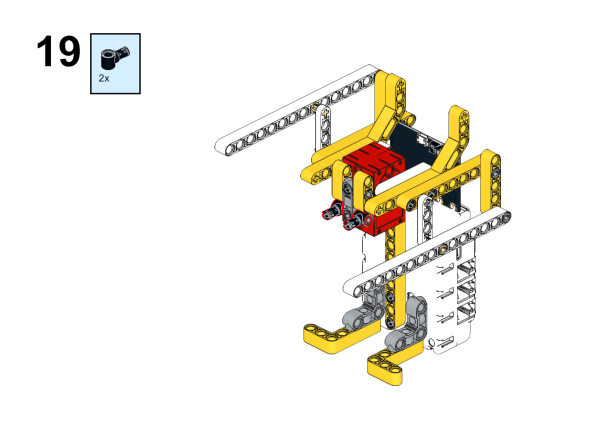
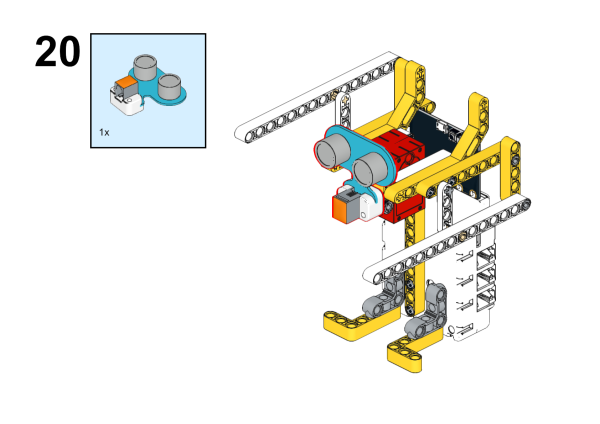
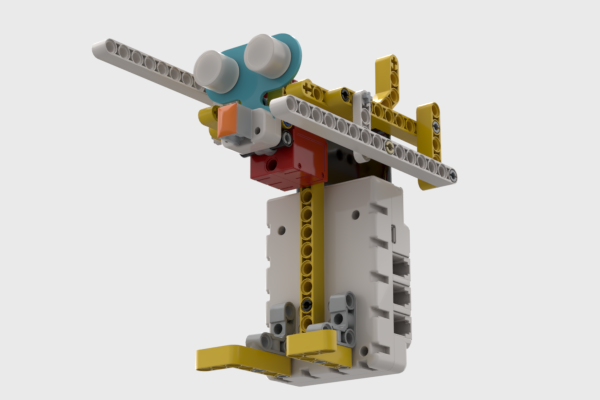
Completed:
Connection Diagram
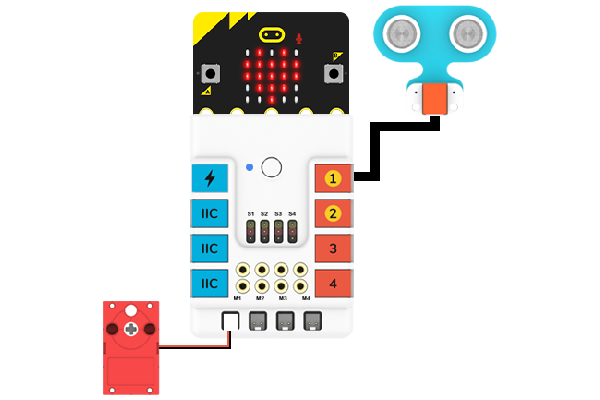
As the picture suggests, connect the Ultrasonic sensors to J1,and the Motors to M1 on Nezha breakout board.
MakeCode Programming
Step 1
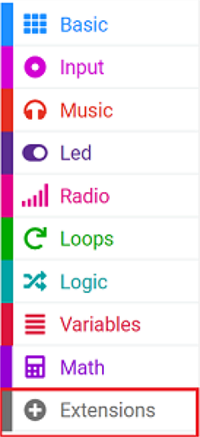
Click “Advanced” in the MakeCode drawer to see more choices.
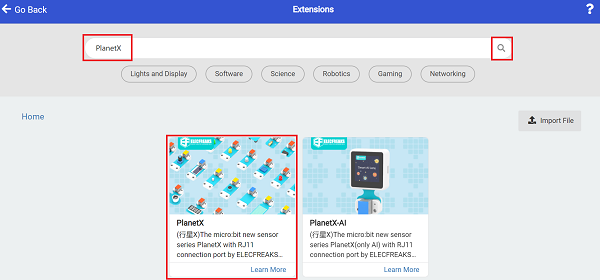
For programming the Ultrasonic sensor, we need to add a package. Search with "PlanetX" in the dialogue box download it.
For programming the Nezha. Click “Extensions” at the bottom of the drawer and search with “nezha” to download it.
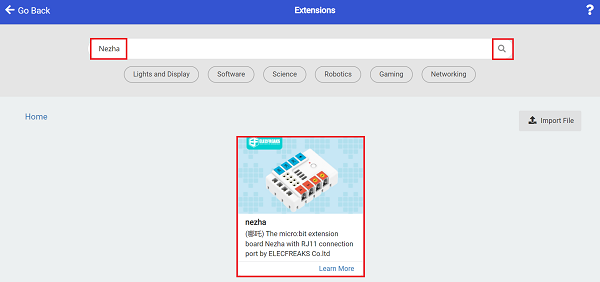
Notice: If you met a tip indicating that some codebases would be deleted due to incompatibility, you may continue as the tips say or create a new project in the menu.
Step 2
Program as picture suggests
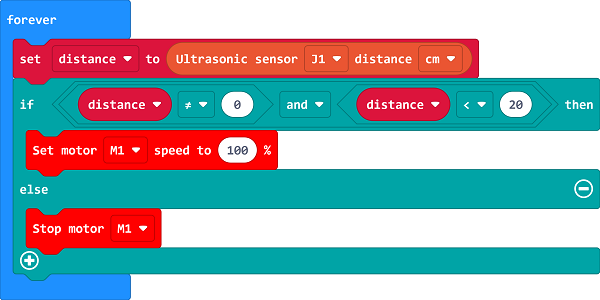
Reference
Link: https://makecode.microbit.org/_M07U5hgYV8ws
You may also download it directly:
Result
When an item comes close to the boxing robot, the robot starts boxing.