Case 03: Thermometer
Purpose
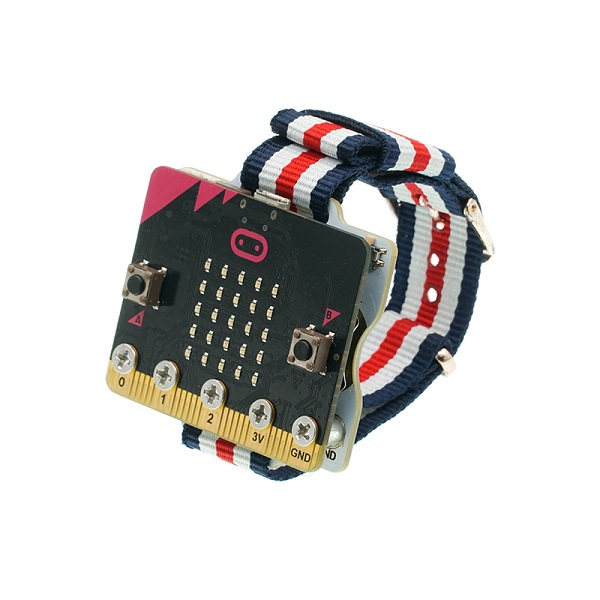
Use the Smart Coding Kit to create a wearable thermometer.
Products Link
1 x ELECFREAKS micro:bit Smart Coding Watch Kit
Software
Programming
Step 1
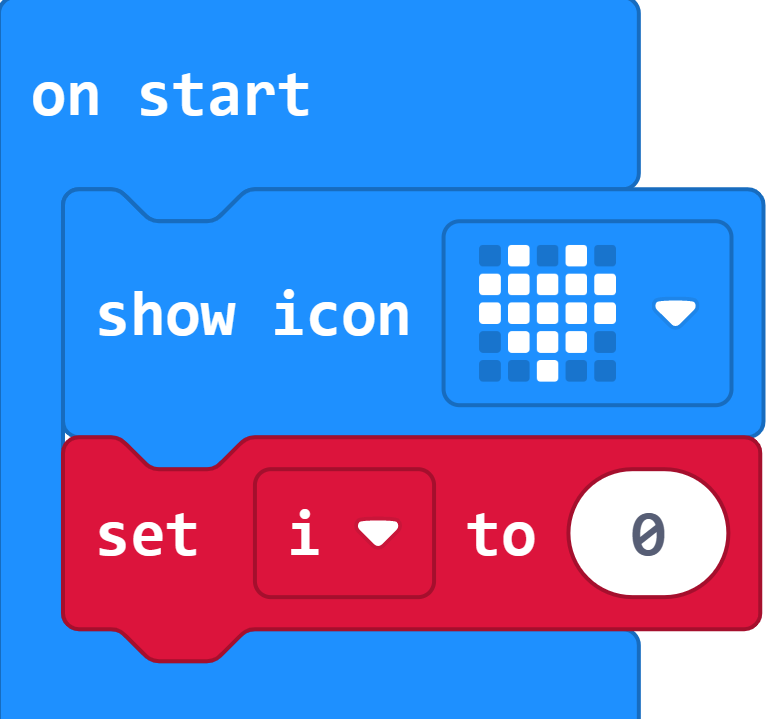
Create a variable flag. Initialize this variable to 0 when we startup our micro:bit.
Step 2
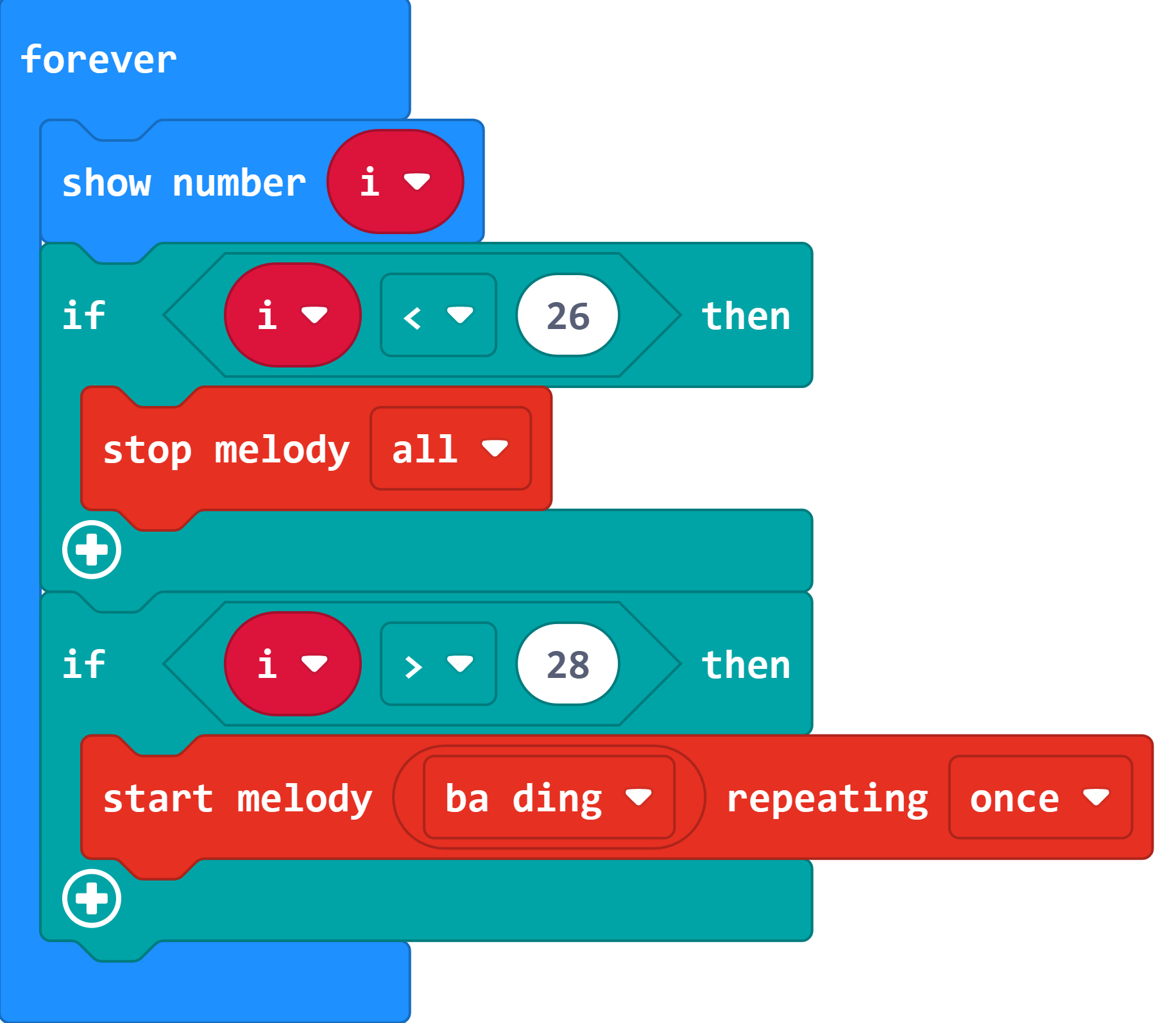
Create a forever loop to show the variable i. If it is over the default value, it alarms; Or it does not alram.
Step 3
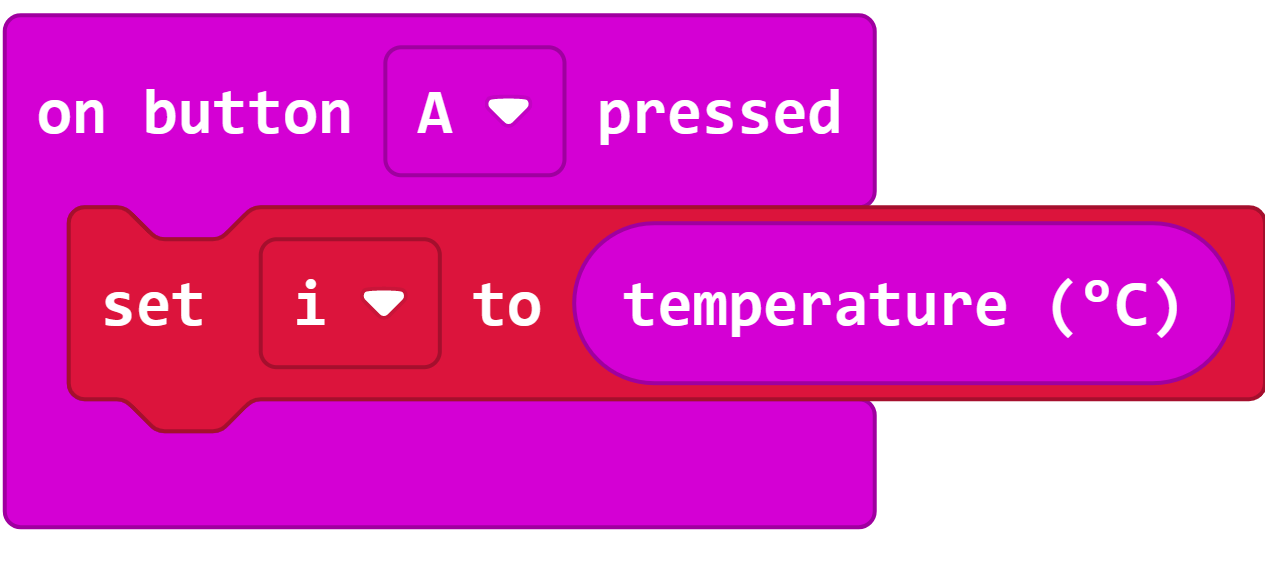
When button A being pressed, set the returned value as i displaying on the micro:bit.
Link
Link:https://makecode.microbit.org/_dJyipJCjd75J
You can also download it below:
Result
The current value will be detected and displayed on the micro:bit when button A being pressed.
Exploration
FAQ
Q: Sometimes the temperature is below 20 degrees, but the value detected is even higher?
A: The temperature detected is the micro:bit chips but not the environment, the chips will get hot obviously when powering on for a long time.