Joystick:bit V2(EF08231)
Introduction
Joystick:bit V2 is a game board based on micro:bit. It contains a 4-direction joystick and 4 undefined buttons. At the same time, it enhances the game experience with its on-board buzzer and vibration motor. Joystick:bit V2 can also be used as a remote control with a good apperance and comfortable feels.
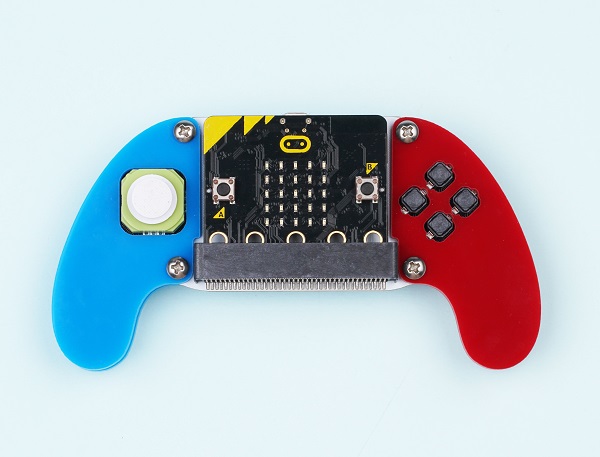
Note: There are two versions of Joystick bit V2
Joystick bit V2:
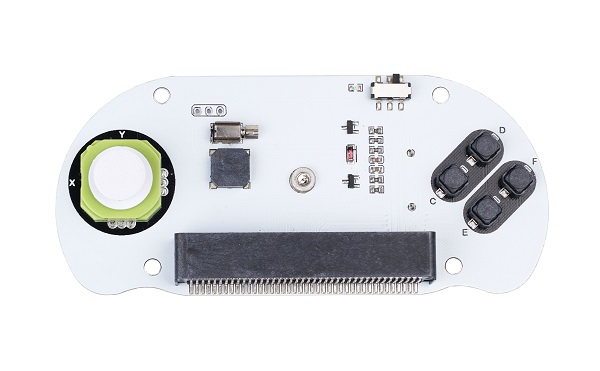
Joystick bit V2 Plus:
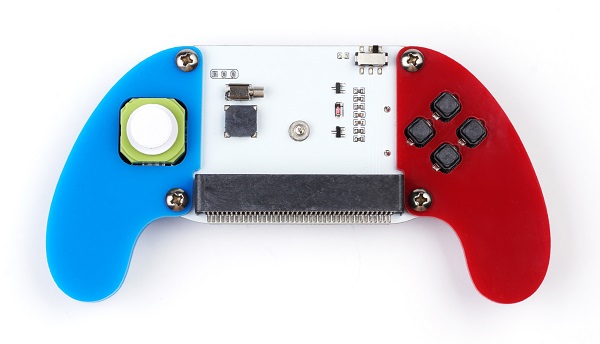
Products Link
Characteristic:
Language: Javascript / Makecode / Microsoft Touch Develop / Python.
Load with buzzer.
Support vibration feedback.
Compatible with the MakeCode packages .
Power off automacticly after unplugging the micro:bit.
Outlook and dimension
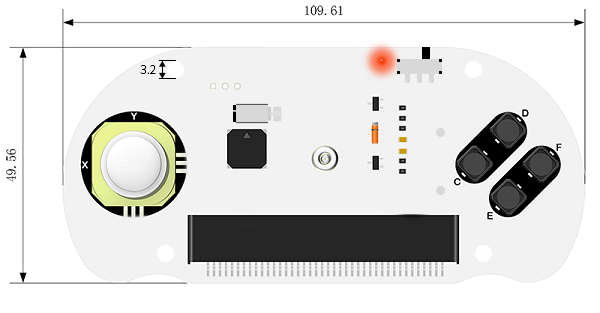
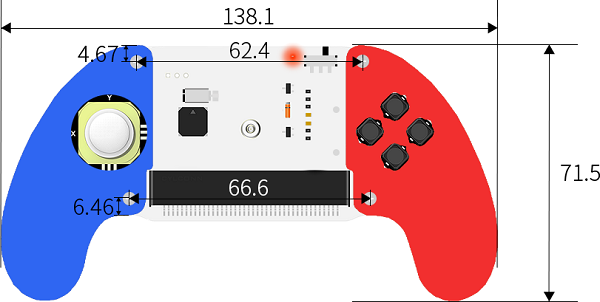
Main parts introduction
Handle
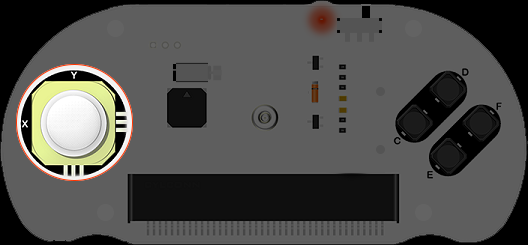
X and Y connect to the P1 and P2 port on the micro:bit accordingly.
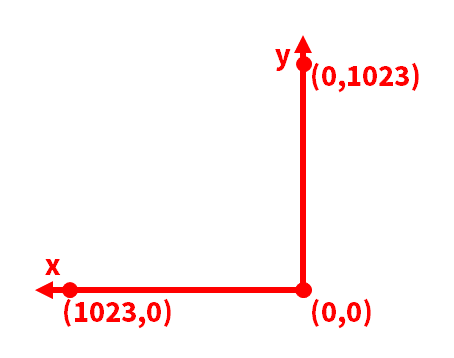
The coordinate information of X&Y
Buzzer
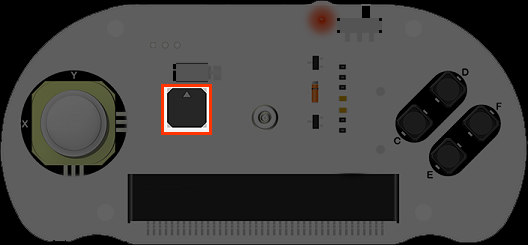
The buzzer connects to the P0 port on the micro:bit.
Vibration Motor
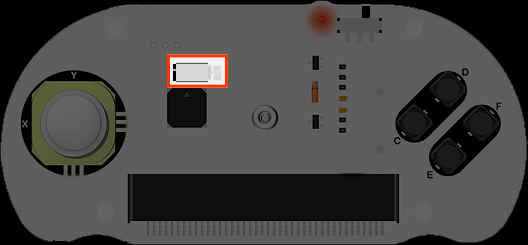
It connects to the P16 port on the micro:bit
Buttons
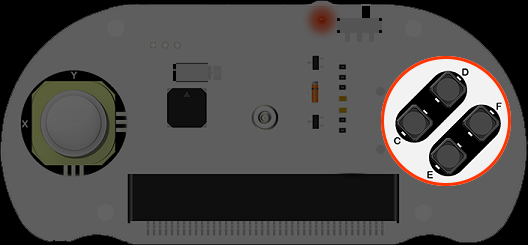
C、D、E&F connect to the P12、P13、P14 and P15 ports on the micro:bit accordingly.
Installment
Install two pieces AAA batteries and insert the micro:bit.
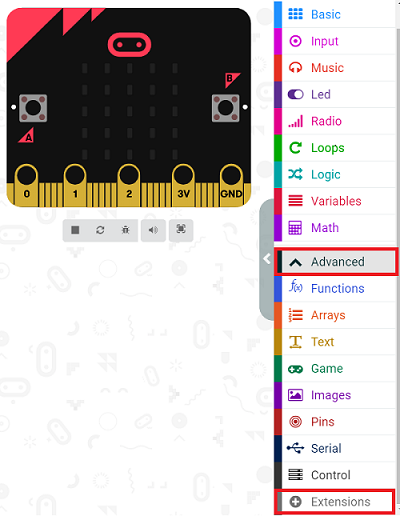
Add “joystick:bit” package.
Go to MakeCode and create a new project, then click "Extensions".
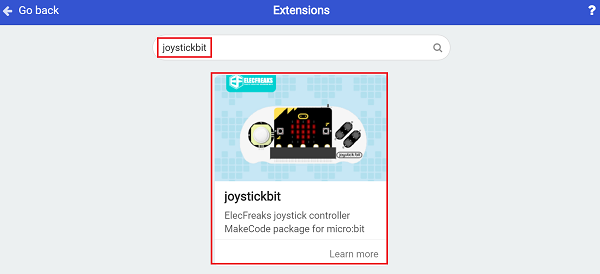
Search with “ joystickbit” to add it.
Programming
Once you press the buttons on the joystick:bit, it comes about vibration feedback with buttons sign showing.
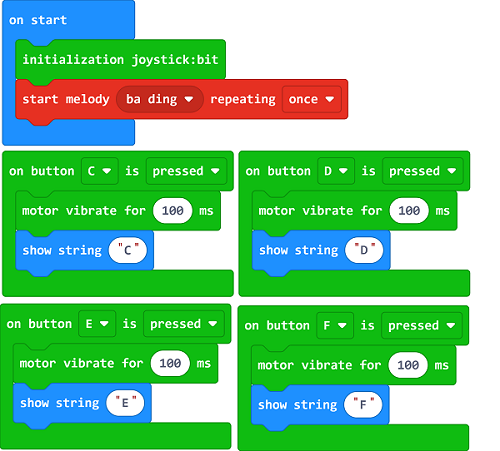
Link: https://makecode.microbit.org/_YUaM2rdcFFYx
You may also download it directly below:
Result
After downloading, turn on the power switch and you will hear the system tone.
Push any one button on the Joysitick bit, it vibrates once.
Project 1: Electronic organ
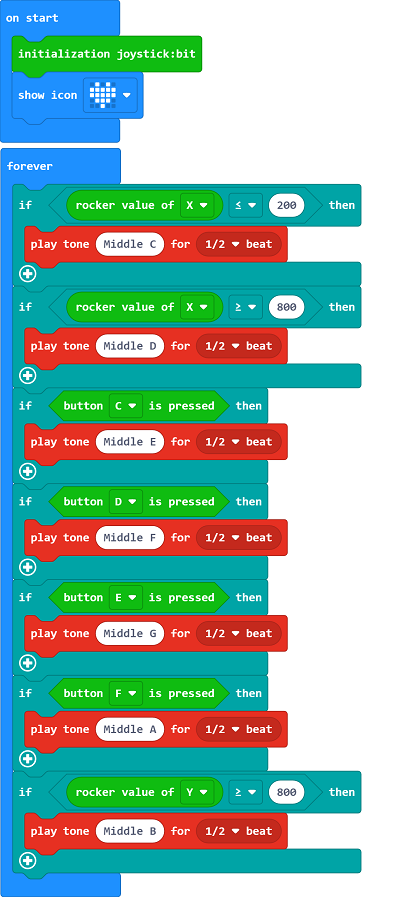
Link: https://makecode.microbit.org/_DHgcRfb6oJp5
You may also download it directly below:
Result
It plays tones through the handle and the buttons.
Project 2: Direction indicator
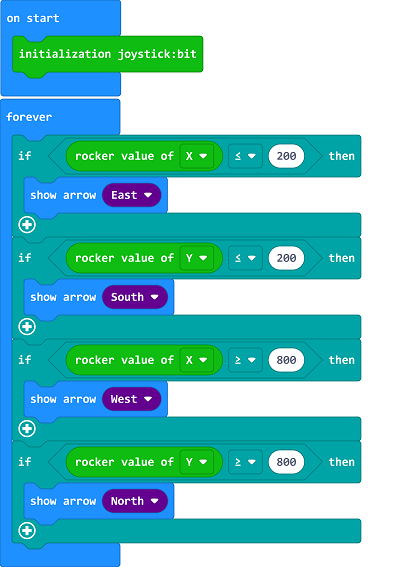
Link: https://makecode.microbit.org/_YVdggwifHWEm
You may also download it directly below:
Result
The direction of the arrow on the micro:bit is controlled by the handle.
Project 3: LED Controller
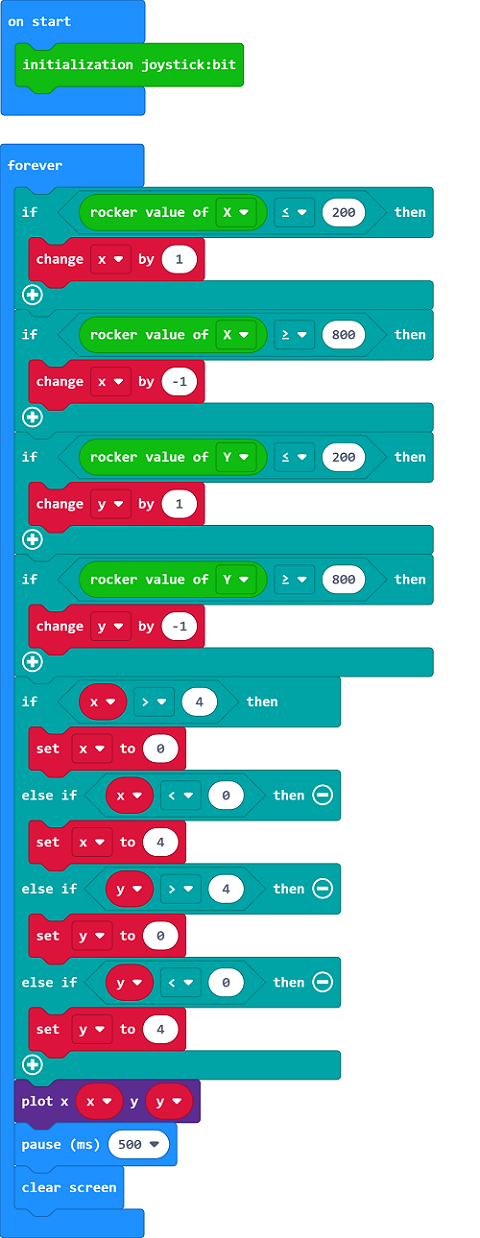
Link: https://makecode.microbit.org/_KPMW36Pq0aLm
You may also download it directly below:
Result
The on/ff status for each LED on the micro:bit is controlled by the handle.
Below are cases of remote control:
More Info
More info pls visit: http://www.elecfreaks.com