On this page
case 33 access denied Access Denied! A Door Entry Tutorial Enhancing door security with micro:bit. This tutorial was written by Sean Lew, from the Singapore University of Technology and Design, during his summer internship with us in 2018. Products Link Tinker Kit
Goals
Build your own wireless door security! Setting up alerts for any intruders or unlocked doors! Required Materials 2 x micro:bit 1 x Breakout Board 1 x Crash Sensor 1 x Buzzer Step 1 – Setting Up!
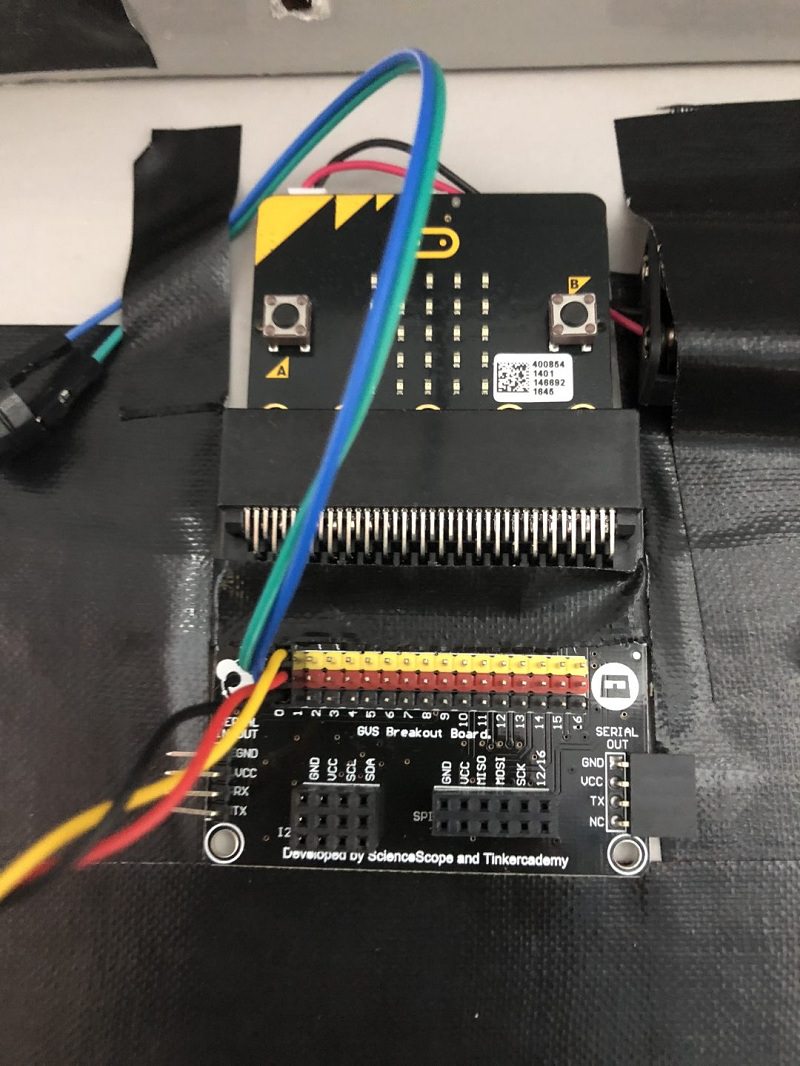
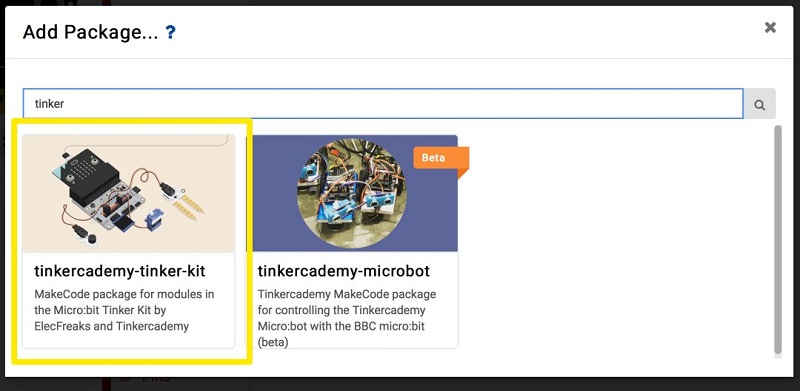
Slot one of the micro:bit into the breakout board. Connect the Buzzer to Pin 0 of the breakout board and the crash sensor to Pin 1. Before moving on to Step 2, make sure you download the “tinkercademy-tinker-kit” package. Step 2 – Code away!
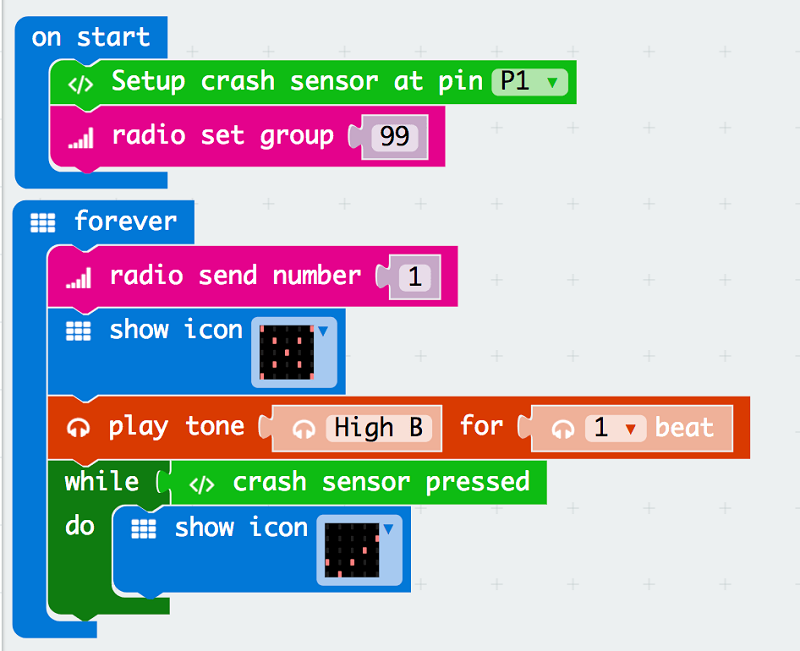
Drag these set of codes into your makecode platform and download it into the micro:bit connected to your breakout board. Give the crash sensor a few press to see if your code is working correctly! Step 3 – Almost there!
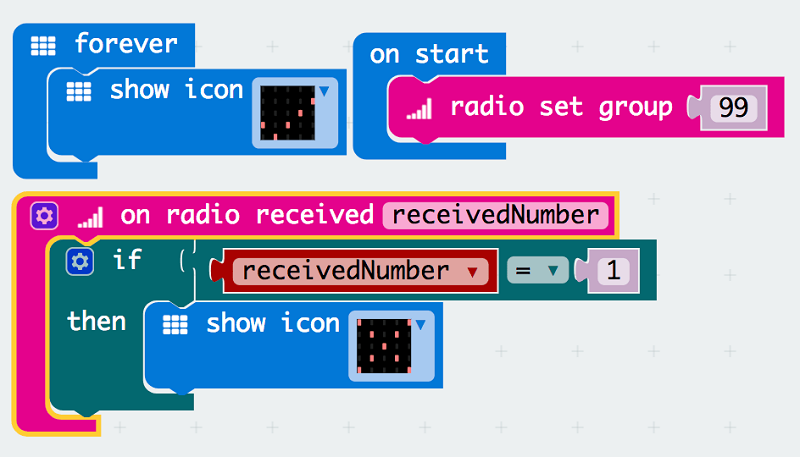
Download this set of codes for the second micro:bit (receiver). Now give test out the crash sensor to see if the receiving micro:bit is working correctly! Now that you have set up your very first wireless door security, you can try it with more than just 1 door! Feel free to also add add other form of alerts on the receiving micro:bit to enhance your own security.