Gesture-controlled TPBot
Purpose
- Control the movement(forward, back, turn left/right) by your hands gesture.
Material
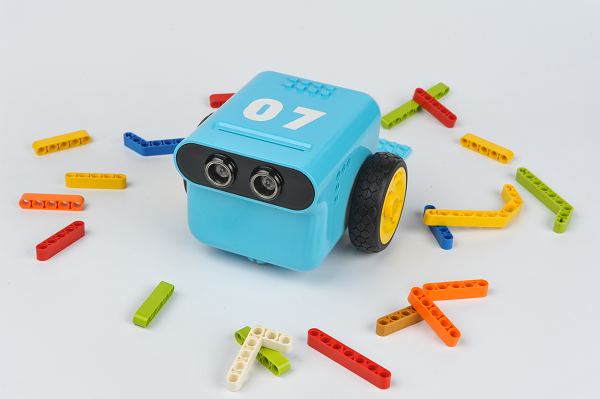
- 1 x TPBot
Hardware connection
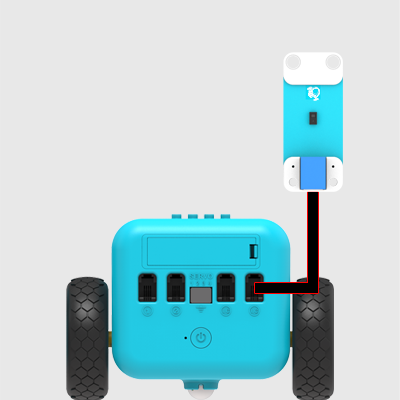
Connect gesture sensor to IIC port on TPBot.
Software
Programming
Click "Advanced" to see more choices in the MakeCode drawer.
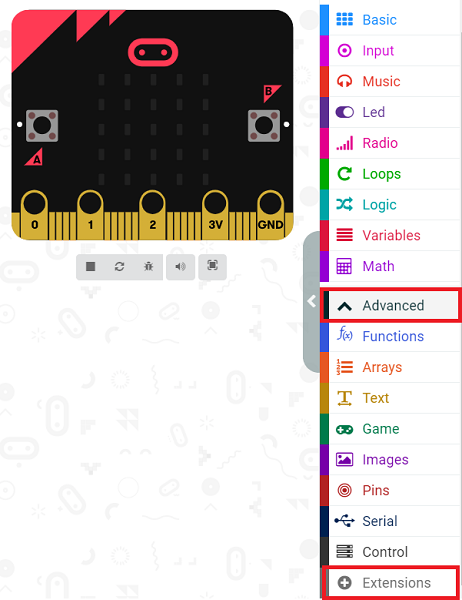
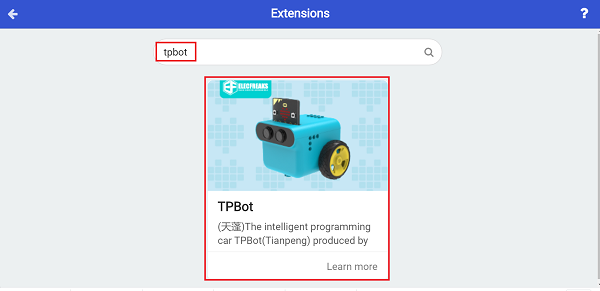
- We need to add a package for programming. Click "Extensions" in the bottom of the drawer and search with "tpbot" in the dialogue box to download it.
- We need to add a package for programming. Click "Extensions" in the bottom of the drawer and search with "PlanetX" in the dialogue box to download it.

Sample
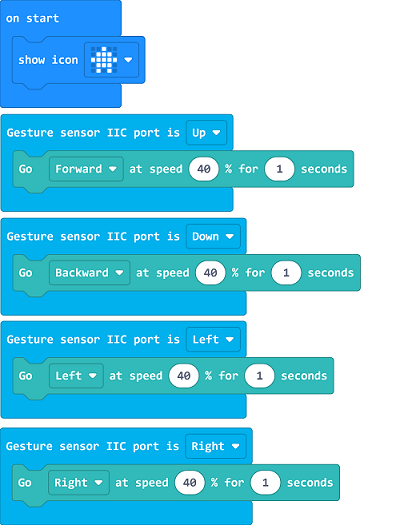
- Drag the show icon brick into on start.
- Detect the hands gesture through the gesture sensor, set the car to move forward at the speed of 40% for 1s while detecting your hand waving upward.
- Code with a similar way for the gesture of waving downward, left and right.
Link
You may also download it directly below:
Conclusion
- Face your hands onto the gesture sensor, control TPBot's movement with your hands gesture.
Exploration
FAQ
Q: While operating this case, why the car might not work properly? A: It might be the low power of the batteries, please try adding the value of TPBot's speed and test again.